What a startup SEO audit should answer before the team scales content production

How to check website SEO without drowning a lean marketing team in a 200-row spreadsheet.
A startup can publish twenty polished articles and still learn very little. The pages may sit outside Google’s index, compete with one another, answer questions nobody asks, or make claims the site can’t back up. More production only multiplies the confusion.
I’ve seen teams treat an audit like an archaeological dig: collect every broken link, every missing meta description, every mildly odd URL, then wait for engineering capacity that never arrives. Six weeks pass. No meaningful changes ship. Content pauses because the backlog feels scary.
A useful way to check website SEO has a narrower job. It should tell the team what to fix, what to publish, what evidence to collect, and what to postpone. Each conclusion needs an owner, a reason, and a way to verify the outcome.
Audit definition: A startup SEO audit is a limited investigation of whether priority pages can be found, understood, trusted, and connected to buyer demand. Its output is a short decision list, not a catalogue of every imperfection on a website.
The scope matters. Start with the pages that sell the product, explain the category, answer recurring sales questions, or pull prospects into a conversion path. Everything else can wait.
What decision should a startup audit help the team make?
Before opening a crawler or rank tracker, write down the decision the audit needs to settle. A sensible version might read: “Can we safely double content output next quarter, or should we repair our commercial page path and evidence first?” That sentence cuts a great deal of audit theatre.
Put four possible outcomes at the top of the working document:
- Fix pages that matter but cannot be crawled, indexed, rendered, or reached through sensible internal links. A pricing page excluded by an accidental
noindextag deserves attention before an old blog tag archive with the same problem. - Publish when a high-value buyer question has no page that answers it directly. The gap must connect to a real sales conversation, support ticket pattern, or search query, not someone’s vague feeling that “we need more top-of-funnel content.”
- Prove when a page makes a claim without supporting material. A SaaS comparison page saying “faster implementation” needs a documented method, customer example, product documentation, or a carefully qualified statement.
- Postpone low-impact defects that won’t change discovery or buyer confidence in the next 90 days. Perfection is a costly hobby.
Suppose a workflow automation startup has five comparison pages but no explanation of security review, setup time, or data handling. Publishing ten more feature articles won’t solve the sales team’s recurring objections. The audit should name that mismatch, assign a content owner, and set a deadline for gathering evidence from product and customer-facing teams.
The thing is, a site audit can feel productive while producing no decisions at all. Don’t let it. Every finding should finish with a plain sentence: “We will do X, owner Y will do it, and we’ll check Z afterward.”
How to check website SEO where search systems meet your pages
Start with a list of 10 to 30 priority URLs. Include homepage, product pages, pricing, one or two comparison pages, core educational pages, and conversion destinations such as demo or trial flows. Then test the actual paths a visitor and crawler take to reach them.
Run the technical review in order
Use this sequence, because later checks become pointless if the earlier ones fail:
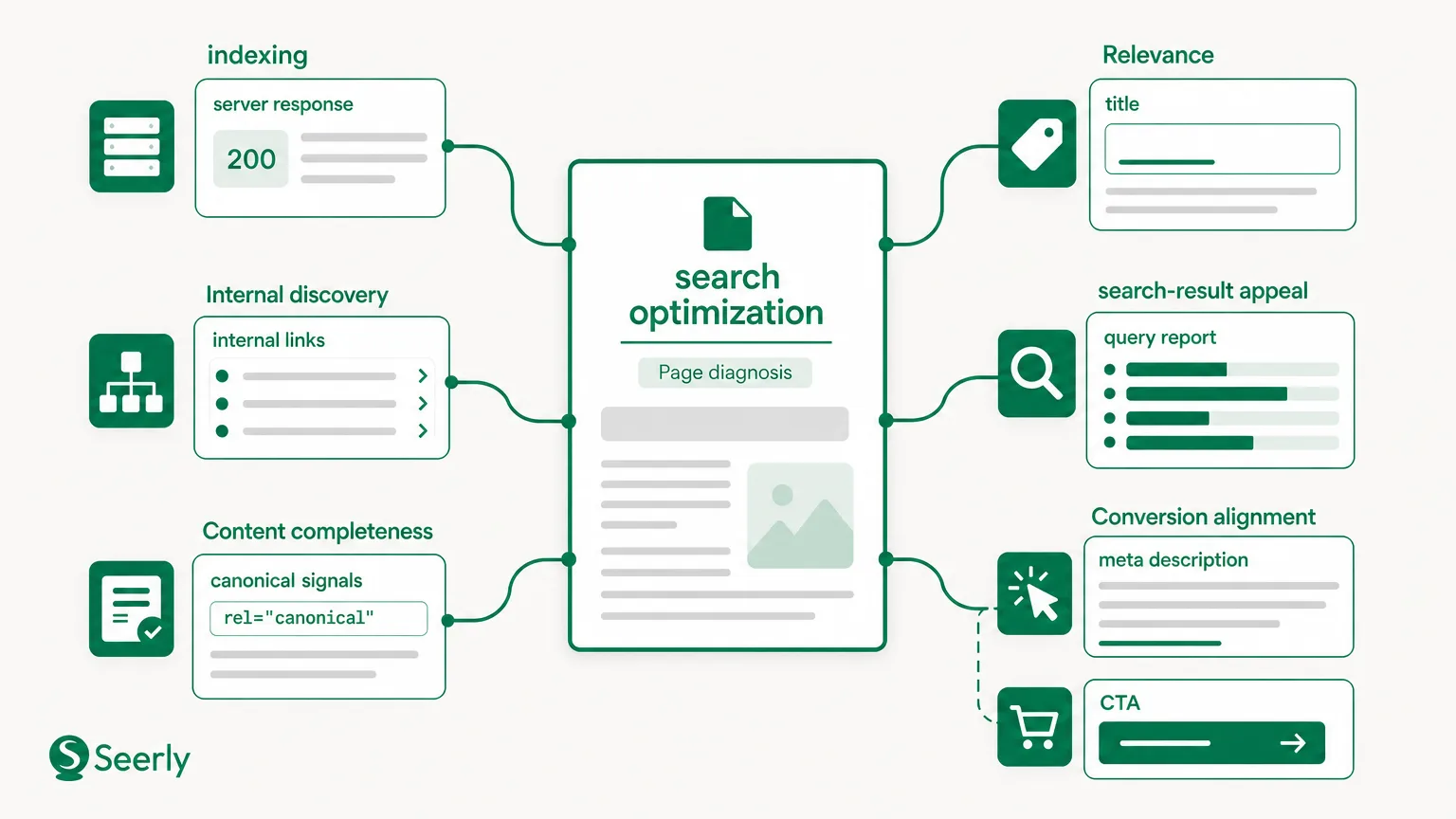
- Crawlability: Confirm that robots directives don’t block priority paths and that the XML sitemap contains the canonical versions of relevant URLs. Google’s own documentation explains how robots.txt controls crawler access, though a blocked URL can still appear in some search results without content being crawled.
- Indexability: Check whether priority pages carry
noindex, conflict with canonical tags, redirect unexpectedly, or return error statuses. Search Console’s URL Inspection tool is useful here because it shows Google’s view of a specific URL, not merely what your browser sees. - Rendering: Load pages with JavaScript disabled or inspect Google’s rendered HTML. If a comparison table, primary copy, or internal links appear only after a script fails, search systems may receive a thin or broken version.
- Speed and experience: Review real-user page data rather than obsessing over a perfect lab score. Google explains that page experience uses several signals rather than a single score, which is a good reason to investigate frustrating templates instead of chasing tiny score changes.
- Duplication and competition: Look for pages targeting the same buyer question with near-identical headings, title tags, and copy. One page may deserve consolidation; two may need distinct jobs.
A common failure looks harmless at first. A startup creates /platform, /product, and /solutions over six months, then each page tries to rank for the same broad category phrase. None explains a different use case well, internal links split around all three, and sales reps send prospects to whichever page they remember. That’s not a content shortage. It’s competing architecture.
Record blockers, not trivia
Use a simple finding format:
| Page or page group | What failed | Buyer impact | Owner | Validation |
|---|---|---|---|---|
| Pricing and demo path | Canonical points to old URL | High | Engineering | Inspect live URL after release |
| Integration guide cluster | Links only appear after client-side render | Medium | Web team | Crawl rendered and raw HTML |
| Old author archives | Missing descriptions | Low | None this month | No immediate check |
Don’t record 87 warnings because a tool found them. Record the warning only when it harms a priority path. Honestly, this discipline is the difference between an audit and a mildly depressing inventory.
Which buyer questions lack a useful page or trustworthy supporting evidence?
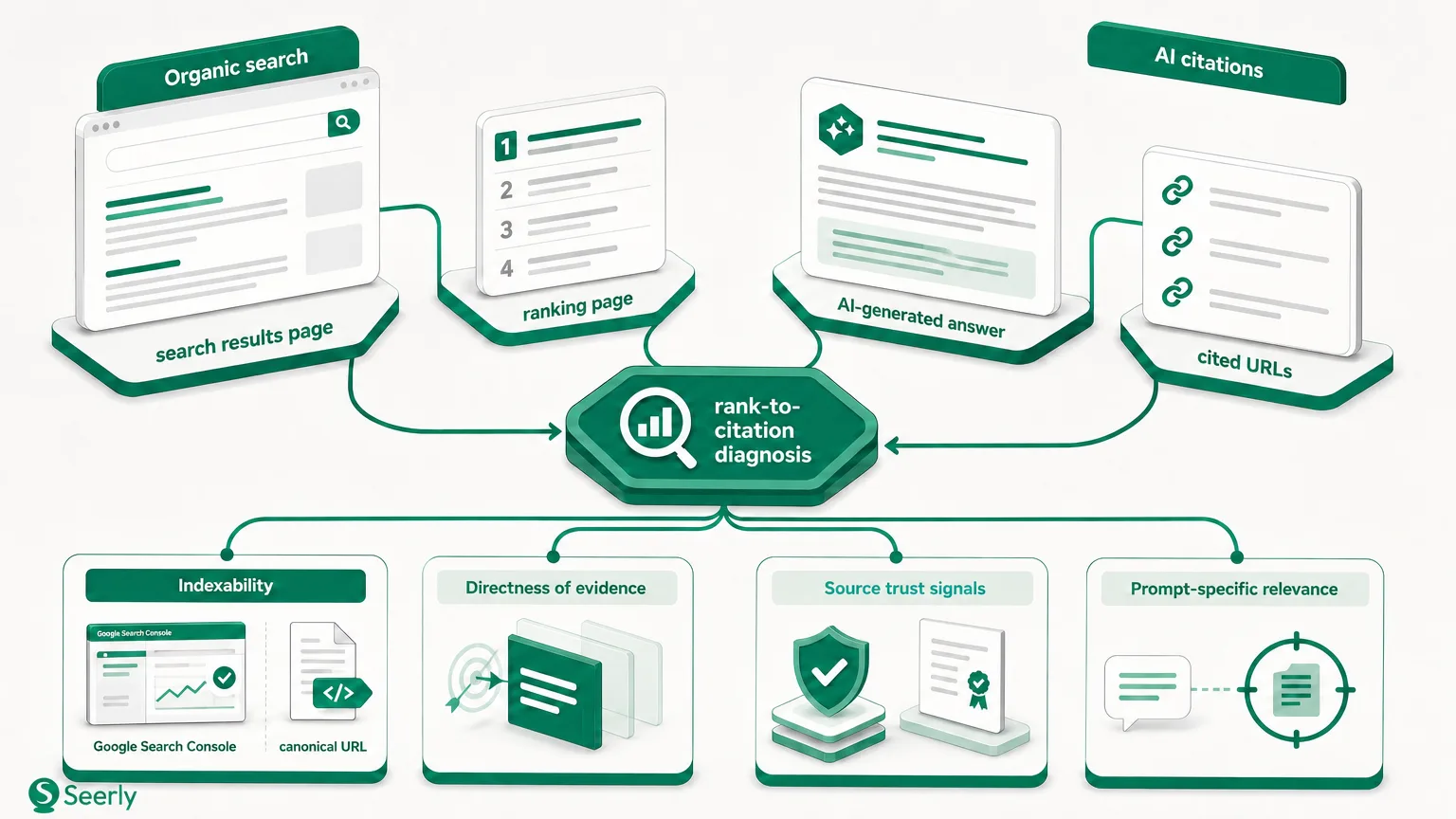
Technical access gets a page into the conversation. It doesn’t make the page worth citing, sharing, or trusting. For that, map questions buyers ask to the pages that answer them.
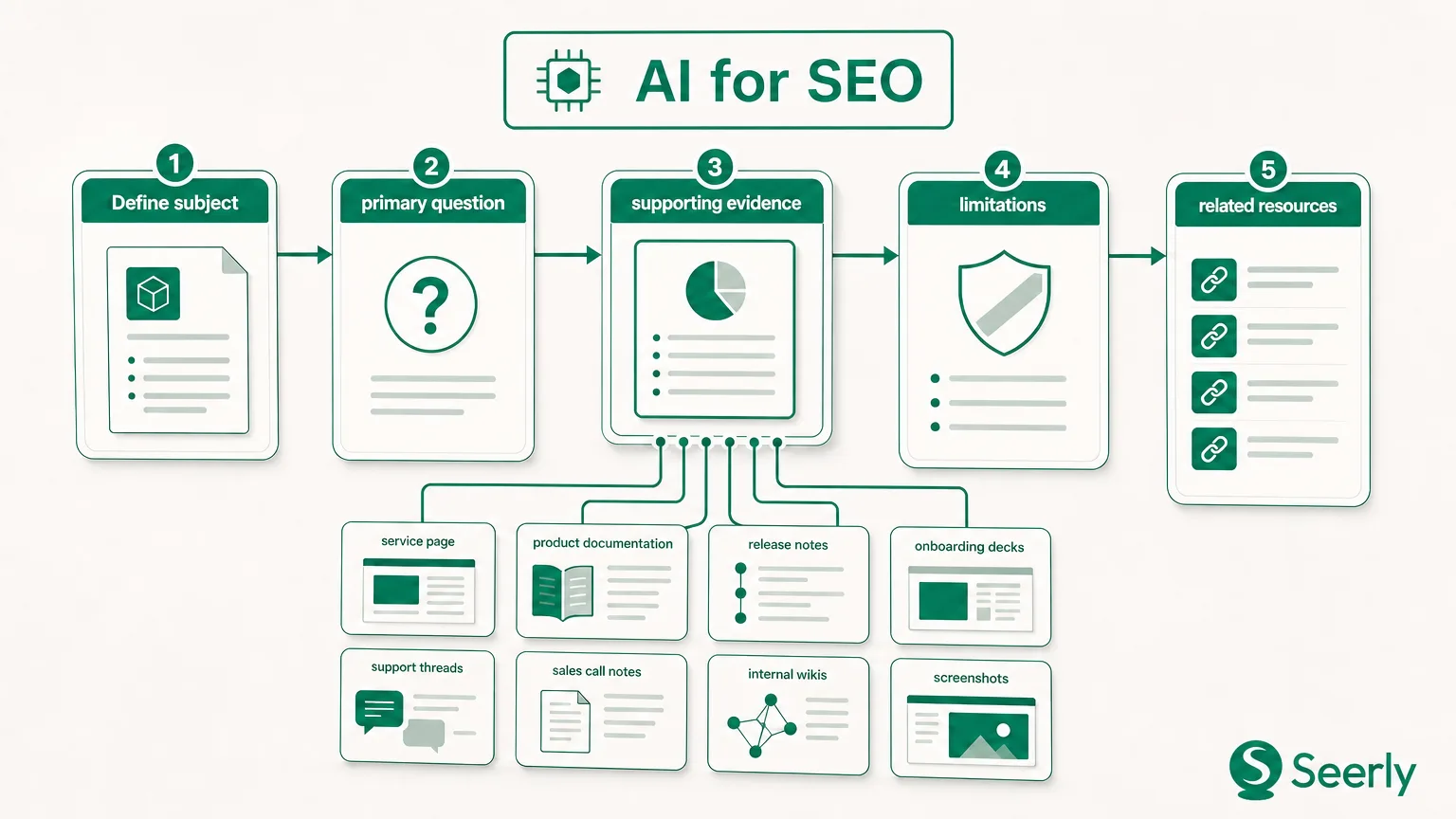
Build a worksheet from sales-call notes, onboarding questions, support tickets, customer interviews, and a small query set. Then ask: does the page answer the question plainly, and can the reader see why they should believe it?
| Buyer question | Existing page | Answer quality | Evidence present | Decision |
|---|---|---|---|---|
| “How long does setup take?” | Feature page | Vague | None | Add implementation steps and proof |
| “How do you compare with Tool X?” | No page | No answer | N/A | Publish comparison page |
| “Can our team control permissions?” | Security page | Strong but buried | Product screenshots | Improve internal links and headings |
| “What happens during migration?” | Generic blog post | Partial | Old customer quote | Rewrite or create a dedicated guide |
A missing page is not the same as a weak page. Teams often call both a “content gap,” then create duplicate articles that repeat the same answer. If a useful page already exists but hides the response under a clever headline, dense feature prose, or three clicks from the navigation, restructure it. Add a direct question heading, a concise answer, supporting detail, and a link from the commercial page where the question arises.
Evidence deserves its own column because polished language can’t substitute for proof. Product claims should trace back to source material: documentation, a dated customer story, measurable process details, screenshots, policy pages, or a named internal expert. Google’s guidance asks creators to focus on helpful, reliable, people-first content. That standard fits buyers too. They can spot foggy claims from a mile away.
I was skeptical the first time I saw a team treat evidence as an audit item. Then their comparison pages changed. Instead of “easy onboarding,” they wrote what onboarding involved, who handled what, and where exceptions appeared. The copy became less flashy. It became much more believable.
What should the team measure before making major changes?
You can’t responsibly check website SEO rank after a big rewrite if you never captured the starting position, page version, or conversion behavior. Rankings wobble for many reasons: query phrasing, location, device, competitors, and Google’s changing result layouts. A before-and-after story without a baseline is often just a story.
Create a compact baseline sheet, dated and saved before releases. Keep it small enough that someone will update it.
- Priority queries: Pick 15 to 25 phrases tied to commercial intent and recurring buyer questions. Record ranking range, landing page, search intent, and whether the result actually matches the query.
- Page groups: Track categories such as product, comparison, educational, and conversion pages. Group-level trends tell a more useful story than one lucky keyword jump.
- Conversion events: Capture demo starts, trial starts, qualified form submissions, or another real business event. Raw organic sessions don’t tell you whether the page attracts useful attention.
- Competitor context: Note the domains and result formats appearing for priority queries. Don’t treat every competitor change as a threat. Watch for patterns such as comparison pages, documentation, videos, or forum results taking more space.
- AI-search questions: Write 10 representative prompts a buyer might ask, then record which brands, sources, claims, and page types appear in answers. Repeat the same prompts at set intervals rather than changing the test every week.
Rank data has limits. Search results differ based on many factors, including location and personalization, so a manual incognito search is a spot check, not a measurement system. Use consistent settings and look for direction across a page group.
Seerly’s guide to separating rankings from pipeline outcomes makes a related point: a higher position isn’t automatically commercial progress. Save the conversion baseline before editing a headline or internal-link pattern, or future decisions will rest on vibes. Not ideal.
Which audit findings deserve action in the first 30 days?
A startup doesn’t need a massive scoring model. It needs a way to compare a few competing tasks without rewarding whoever argues loudest in the planning meeting.
Score each finding from 1 to 5 across five factors:
| Factor | What a high score means |
|---|---|
| Buyer impact | The issue blocks a decision-stage or heavily used educational page |
| Evidence strength | Crawl data, Search Console evidence, user behavior, or repeated sales feedback supports the finding |
| Effort | The work fits the team’s current capacity and can ship soon |
| Dependency | Other work depends on this fix, such as a template repair before publishing a cluster |
| Validation readiness | The team has a defined signal to inspect after the change |
Add the scores, but don’t worship the total. A dependency can outrank a better-looking score. A fix with weak evidence should stay in the investigation lane until the team learns more.
Here’s a worked example. A B2B software company finds that its “alternatives” page ranks for several commercial queries, but the main comparison table fails to render in Google’s crawled HTML. Buyer impact scores 5, evidence scores 5, effort 3, dependency 4, and validation readiness 5. That task belongs in the first month because a single repair may improve an existing high-intent asset.
Now compare it with rewriting 40 old meta descriptions. It may score 1 for buyer impact and 2 for evidence, even if the work feels satisfyingly tidy. Put it on the stop list.
The stop list
Don’t delay useful publishing for:
- chasing a perfect audit-tool health score;
- changing every title tag without a query or page-intent reason;
- fixing low-traffic legacy URLs with no links and no buyer role;
- monitoring hundreds of keywords that nobody has tied to a page group or outcome.
The more you check website SEO online, the more tempting it becomes to confuse available data with relevant data. Resist that impulse. A clear, owned list of five tasks beats a spreadsheet with 300 unloved rows.
How can a small team validate progress without creating a reporting burden?
Set a weekly 20-minute review. Look at work shipped, blocked work, fresh technical errors on priority pages, and any obvious search-signal changes. The meeting should answer one practical question: “What do we need to inspect or unblock before Friday?” No slide deck required.
Once a month, review the baseline more carefully. Check priority page groups, query movement, conversions, newly represented buyer questions, competitor shifts, and repeated AI-search prompts. Then annotate changes. If rankings move after a site release, a new page launch, or a competitor’s campaign, write the date beside the chart. Memory gets fuzzy fast.
When tools disagree, don’t average their numbers and call it truth. Inspect the live page, Search Console data, source HTML, and the query itself. Seerly’s manual review workflow for conflicting audit tools is useful when an automated alert and the actual page tell different stories.
Frequently asked questions
How often should we check website SEO ranking?
Review priority query groups weekly, then interpret patterns monthly. Daily checks create noise and invite overreaction, especially when positions shift a few places without any change in clicks or conversions.
Should we pause all content until the audit is complete?
No. Pause only content that would repeat an unresolved problem, such as publishing articles into an uncrawlable template or expanding a topic with no proof. Keep publishing pages that answer validated buyer questions and have a clear path to discovery.
What if we have little or no ranking data?
Use buyer questions, sales notes, direct search-result review, crawl data, and conversion paths as the starting point. A new site can still find blocked pages, weak evidence, and missing commercial explanations before rankings accumulate.
Do we need an external SEO agency?
Bring in outside help when the team has a verified problem it cannot diagnose or implement, such as JavaScript rendering failures, migration risk, or complex international architecture. Don’t outsource a vague desire to “do more SEO.” That brief produces expensive ambiguity.
Start with your ten most important URLs and the questions that decide whether a prospect keeps reading or books a call. Run the limited audit, assign owners, save the baseline, and ship the first fixes. Then use Seerly to monitor search performance and AI-search representation before increasing content production.