How organization schema can make your company facts easier to verify

A buyer finds your company through a product page, then checks your About page, LinkedIn profile and support documentation. A search system performs a similar comparison at a larger scale: it looks for evidence that these references describe the same organization. When your legal name, logo, website, contact details or product category conflict, that verification becomes less reliable.
Organization schema helps make those core facts machine-readable. It does not guarantee prominent search visibility, rich results or AI citations. However, it gives search systems a consistent, explicit description of the organization behind a website - provided the markup reflects facts that are accurate on the page and maintained over time.
This tutorial shows how marketing teams, web teams and agencies can turn organization schema from a one-time development task into a practical brand-data process.
Start with the company facts that must never conflict
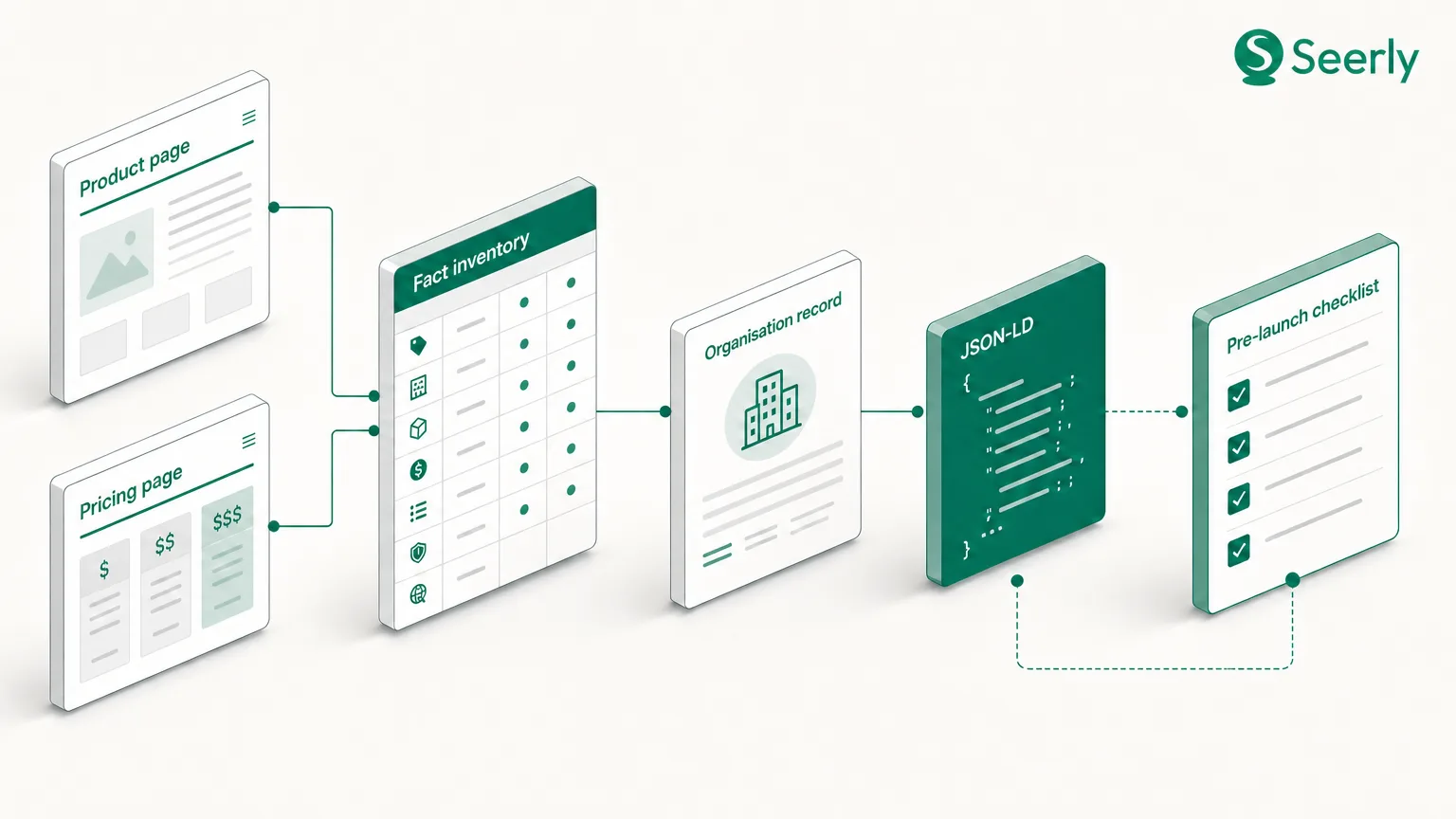
Before selecting an Organization schema.org type or using an organization schema generator, create an inventory of the facts that represent your brand everywhere it appears. Structured data cannot resolve disagreements between an outdated logo in markup, a different name on social profiles and a third variation in website copy. It can only publish the information you supply.
Your inventory should cover the following fields:
- Legal name and trading name: Record the registered business name, any customer-facing brand name and when each should be used. If your site operates under a trading name, do not randomly alternate it with the legal entity name across templates.
- Canonical website URL: Use one preferred, secure URL for the organization’s primary website. Decide how
wwwand non-wwwversions, subdomains and regional sites relate to that entity. - Official logo: Keep the approved logo asset, its current URL, usage rights and minimum dimensions in one controlled location. A logo update is a brand-data change, not simply a design change.
- Organization type and product category: Identify what the business actually is - for example, a
SoftwareApplicationpublisher, anOnlineStore, aLocalBusinessor a broaderOrganization. Keep product positioning specific and supported by on-page evidence. - Official social profiles: List only profiles owned and actively managed by the organization. Include the complete canonical profile URL rather than an employee profile, campaign account or inactive regional account.
- Support and contact routes: Confirm the customer service email address, phone number, help centre URL and contact page. These need to match the routes a buyer can genuinely use.
- Location information: Record registered address, headquarters and public locations separately. Use only locations that are relevant to the organization type and accurately presented to users.
This consistency matters because structured data is part of a wider evidence set, not an isolated signal. Google’s guidance explains that structured data provides a standardized format for communicating page information, while eligibility for a search feature still depends on its systems and policies. In other words, publish facts that users can corroborate - not a more ambitious version of the brand story.
What organization schema contributes
Organization schema is structured data based on the Organization vocabulary at Schema.org. It gives systems labeled fields for facts such as a company’s name, URL, logo, contact points and social identity. Rather than requiring a crawler to infer that a LinkedIn URL in the footer is official, the sameAs property can explicitly state that relationship.
Google describes organization markup as a way to provide organization details, including a logo and contact information, that can help it understand the organization represented by a site. This is useful for brands with multiple product pages, country sites or service lines because it establishes a reusable entity reference across the website.
A minimal annotated example
The most common implementation format is JSON-LD, placed in the page HTML. The following example uses a fictional company. Replace every value with an approved, publicly verifiable fact; do not copy it unchanged.
{
  "@context": "https://schema.org",
  "@type": "Organization",
  "@id": "https://www.example.com/#organization",
  "name": "Example Analytics Ltd",
  "alternateName": "Example Analytics",
  "url": "https://www.example.com/",
  "logo": "https://www.example.com/assets/logo.png",
  "description": "Analytics software for B2B marketing teams.",
  "sameAs": [
    "https://www.linkedin.com/company/example-analytics/",
    "https://www.youtube.com/@exampleanalytics"
  ],
  "contactPoint": {
    "@type": "ContactPoint",
    "contactType": "customer support",
    "email": "[email protected]",
    "url": "https://www.example.com/contact/"
  }
}
The @id creates a stable identifier for the organization on your site. Use that same identifier when other relevant markup refers to the company, such as a product’s brand or an article’s publisher. The sameAs entries identify official profiles, while contactPoint describes a real support route rather than a generic sales inbox.
The model should remain proportionate. Schema.org’s Organization documentation includes a broad range of available properties, but adding every possible field rarely improves clarity. Start with high-confidence facts, then expand only when your site and operational records can support them.
Markup is not a visibility guarantee
Organization schema markup can help systems interpret your company information, but it does not force a logo display, Knowledge Panel, rich result or AI-generated mention. Google explicitly notes that structured data does not guarantee a feature will appear in search results. Visibility depends on many factors, including relevance, crawlability, content quality and how confidently systems can evaluate the information.
That distinction is particularly important for teams measuring AI search visibility. Schema can reduce ambiguity in the factual layer of your website, but it is not a replacement for useful product information, independently supported claims or brand reputation. For a deeper view of the relationship, see Seerly’s guide on whether schema markup can help AI citations.
Create a source-of-truth record before implementation
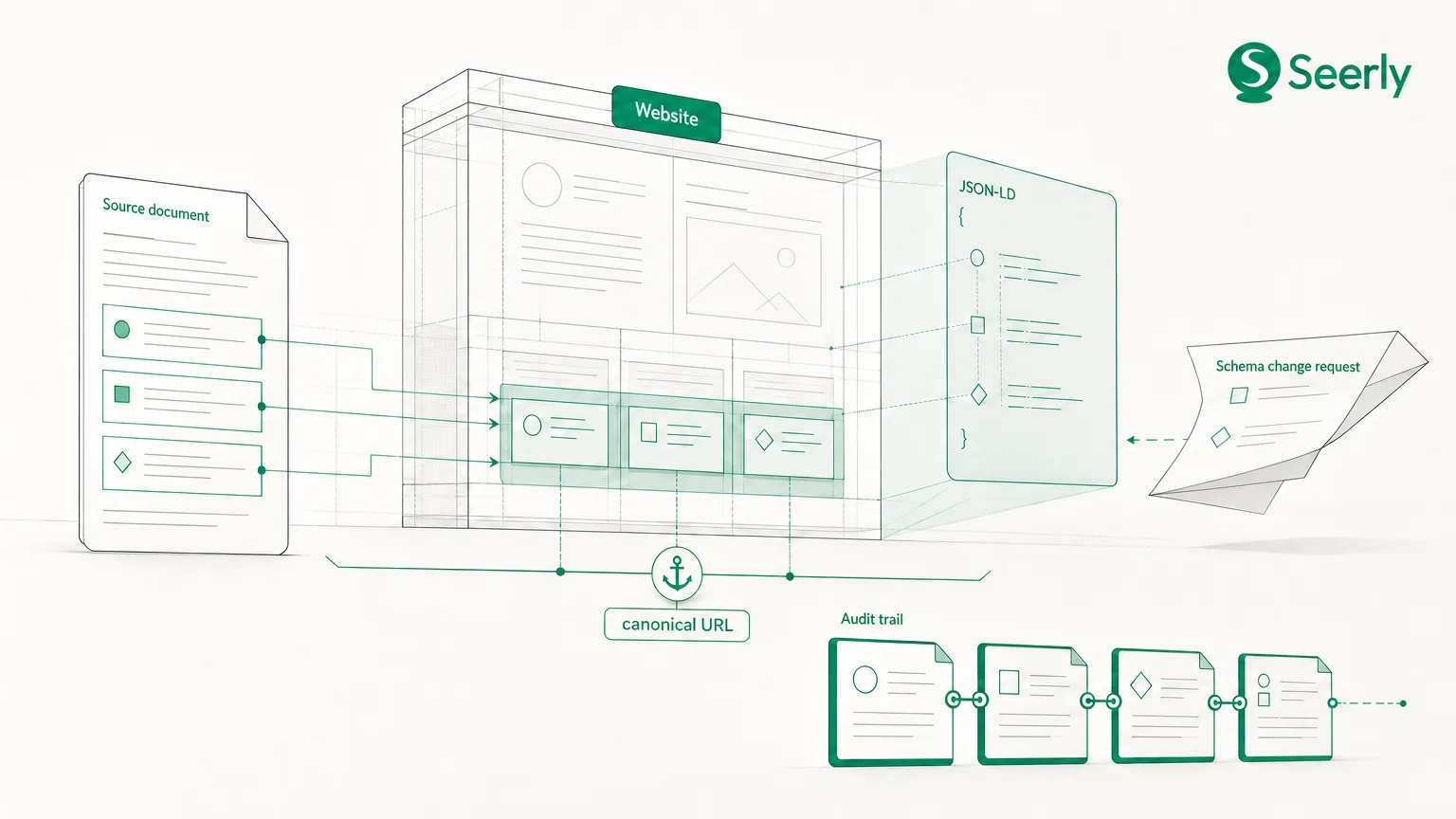
The durable part of organization schema is not the JSON-LD snippet. It is the approval process behind it. Build a simple brand-fact record in the system your team already uses - a governed spreadsheet, digital asset management platform or internal knowledge base - and treat it as the source from which website fields and markup are published.
1. Assign an owner to each field
A brand manager may own the display name and logo, legal or finance may approve the legal entity name, customer success may own support routes, and web operations may own the canonical URL and deployment. One person should still be accountable for coordinating the record. Shared responsibility without a named decision-maker commonly leaves stale data in production.
For each field, include the approved value, source evidence, field owner, approver, last-reviewed date and next review date. This turns a vague instruction - “keep schema updated” - into an auditable operating process.
2. Separate stable identity from changing commercial copy
Your core name, website URL and organization identifier should change rarely. A customer support email, product category, description or logo may change more often. Separating these fields helps developers avoid treating every homepage edit as a schema rewrite, while ensuring meaningful brand changes trigger review.
For example, a new product positioning statement can be tested in copy before it becomes the organization’s schema description. A merger, rebrand or support-domain migration, by contrast, should trigger a coordinated update across the source-of-truth record, page copy, structured data and official profiles.
3. Set review dates and change triggers
Review stable fields at least annually and operational fields quarterly, or more often in fast-changing businesses. Also define triggers: a rebrand, office closure, acquisition, domain change, logo refresh, social-account migration or support-platform move should automatically create a review task. A dated change log makes it easier to diagnose why a search system or prospective buyer encountered inconsistent data.
Implement organization markup around real pages
The homepage is normally the clearest place for primary organization schema because it represents the root of the brand’s web presence. Use a single, authoritative representation there and avoid generating multiple competing Organization objects through a CMS plugin, tag manager and manually added code. Duplicates are not automatically harmful, but conflicting values make governance harder.
Implementation checklist
- Homepage: Publish the primary
Organizationor more specific applicable subtype, using the approved name, canonical URL, logo,@idand officialsameAslinks. - About page: Use visible copy to explain the organization’s history, mission and legal or trading identity. Link internally to the homepage and make sure names, logo and location statements match the source record.
- Contact page: Present the same support route described in
contactPoint. If there are regional teams, make clear whether they belong to the same parent organization or are distinct entities. - Product pages: Connect products to the same organization identity where relevant, using the stable
@idas the brand or provider reference. Do not make every product page appear to represent a separate company. - Social profiles: Keep profile names, logo, website links and support URLs aligned with the website. Only add them to
sameAsif they are official public references.
A useful technical rule is to put markup near the page it describes, while ensuring each page tells a coherent version of the same story. Google recommends matching structured data to the visible content of the page. If your markup says you offer 24/7 support but the Contact page lists weekday-only assistance, correct the business record or remove the unsupported statement.
Validate and monitor organization schema after launch
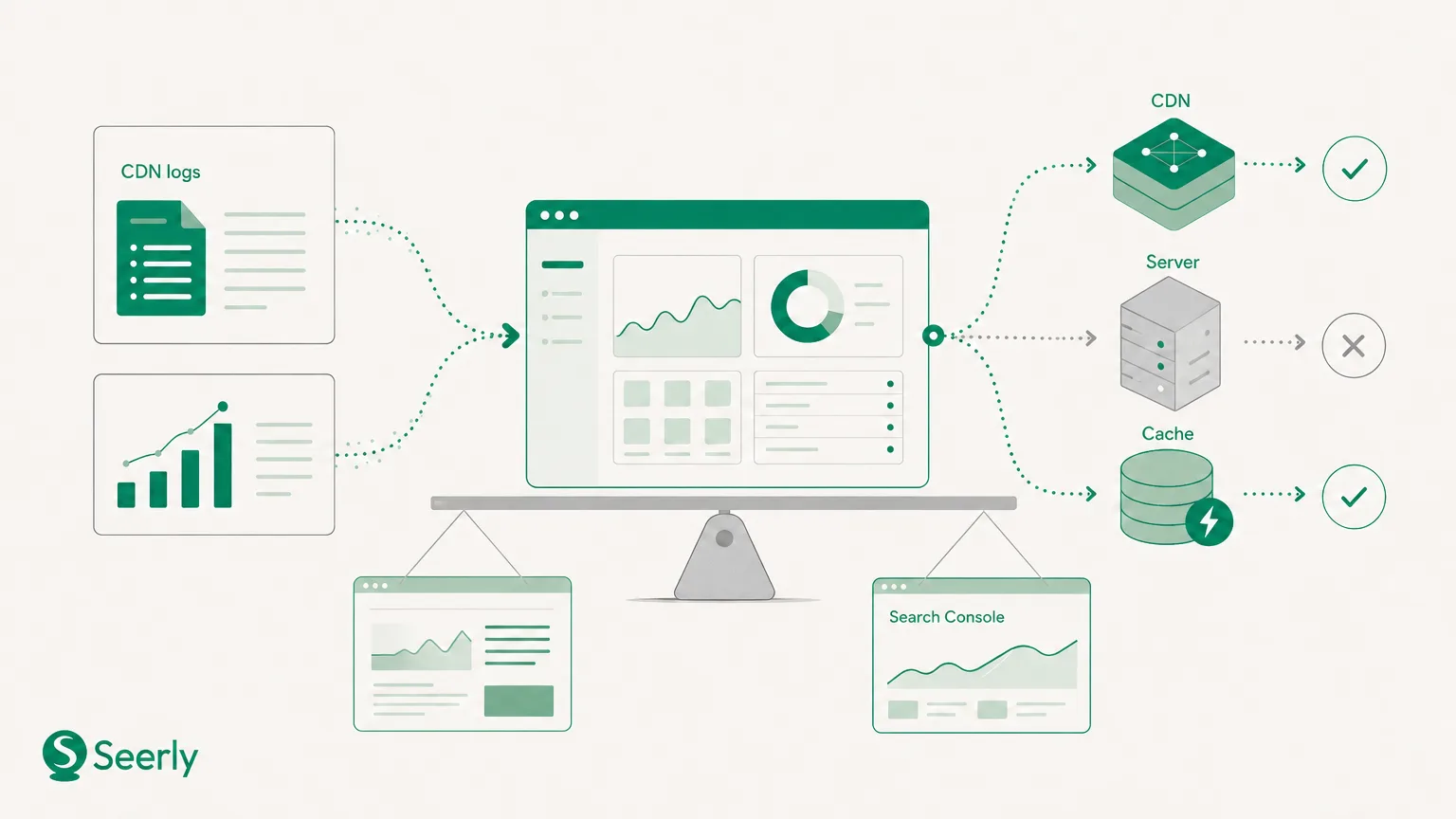
Valid JSON is not necessarily valid or useful structured data. Test templates before release and test the rendered production page after release, especially if your CMS, consent system or tag manager modifies page code. Google’s structured-data documentation recommends using its validation tools to check markup and monitor issues.
Use the Schema Markup Validator to identify syntax and vocabulary errors. Then use Google’s relevant rich-results testing and Search Console reporting where applicable, while remembering that not every Organization property maps to a rich-result feature. Validation confirms that code is interpretable; it does not confirm that each business fact is current.
A practical QA routine
Before publishing a site change, compare the homepage, About page, Contact page and social profiles against the brand-fact record. Check the rendered JSON-LD, not only the source template. Log what changed, who approved it and which affected URLs were retested.
For ongoing monitoring, schedule quarterly checks of public brand references: social profiles, business listings, partner pages and key product directories. If a rebrand leaves an old logo on a high-authority profile, buyers and systems may receive conflicting signals. Teams that include schema checks in their reporting process can also use schema validation to reduce risk in AI visibility reporting.
Avoid common entity-confusion mistakes
Should we use our legal name or our brand name?
Use the name that accurately represents the organization on the website, and use alternateName where a genuine, widely used trading or abbreviated name needs clarification. Do not use keyword-heavy variations or switch names by page. The goal is recognisable identity, not additional keyword coverage.
Can we add every social profile to sameAs?
No. Add official, maintained profiles that clearly belong to the organization. Exclude abandoned accounts, staff profiles, unofficial community groups and campaign-specific handles. A shorter list of accurate associations is easier to maintain and verify.
Can an organization schema generator solve the whole problem?
An organization schema generator can accelerate syntax creation, particularly for teams without development resources. It cannot decide whether your brand facts are approved, whether a logo URL will remain valid or whether a regional support number is still active. Review generated code against the source-of-truth record before deployment.
Should we add claims that are not visible on the site?
No. Avoid unsupported awards, market-leadership claims, office locations or service promises in markup. Google’s structured-data policies require markup to represent page content accurately. If a claim matters enough to encode, it should be documented and defensible in the customer experience.
Make verification a release discipline
Organization schema is most valuable when it expresses a maintained, company-wide record of truth. Accurate markup can help systems connect your website, official channels, products and contact routes to the right brand, but it works best alongside consistent visible information and ongoing quality control.
This week, audit one brand-fact record, assign an owner and approver to every field, and add organization-markup validation to your website release checklist. For teams building a broader measurement practice around trustworthy, AI-ready websites, explore Seerly.