How to establish a Google ranking baseline after a site migration
A migration can look flawless in staging and still leave a search team staring at a bleak chart two weeks after launch. The redirects work. The new templates load quickly. Yet a revenue page that held position three now appears at nine, and nobody can agree whether the culprit is a technical fault, a new page competing with an old one, or ordinary movement in the results.
I’ve seen teams make that worse by checking a handful of head terms every morning and reacting to every wobble. It feels responsible. It also turns a migration review into a room full of screenshots, opinions, and rushed edits.
A trustworthy Google keyword rank checker baseline changes the conversation. It records the query, the page Google ranked, the search context, and the planned destination before anything changes. After launch, you can compare like with like and decide what needs repair, what needs patience, and what was intentionally retired.
Migration ranking baseline: a dated record of business-relevant search queries, their ranking pages, result contexts, and planned replacement URLs, collected before a site migration.
The record is not a trophy cabinet of rankings. It is evidence. And evidence has to survive disagreement.
What a Google keyword rank checker baseline must protect
Raw monthly volume is a poor way to choose migration queries. A term with 20,000 searches may matter less than a 90-search query that sends prospects to a pricing page, a support article that reduces churn, or a brand information page used by customers during a product recall.
Start with the pages where a ranking loss would create a real business problem. Pull candidates from analytics, paid-search query reports, sales conversations, customer support logs, and Search Console. Google’s Search Console data can be grouped and filtered by query, page, country, device, and search appearance, which makes it useful for building a baseline with actual context rather than a generic keyword list. Those dimensions are available in the Search Analytics API.
I prefer a four-part selection test:
-
Business value: Include pages tied to revenue, lead generation, product adoption, or high-cost support issues. A comparison page with modest traffic may influence more purchase decisions than a broad educational article.
-
Search intent: Record what the searcher is trying to accomplish. “Enterprise payroll software pricing” and “what is payroll software” may share a topic, but they need different page experiences.
-
Traffic contribution: Include pages that already receive meaningful organic clicks, especially where a position loss would remove a dependable source of qualified visits.
-
Brand-critical information: Keep pages for branded queries, official documentation, executive profiles, locations, policies, and safety information. These pages can matter even when they never appear in a monthly lead report.
Look for query-page pairs, not keywords in isolation. If “refund policy” ranks with an old help-centre article, the migration must protect that exact need. Redirecting it to a generic FAQ may preserve the URL path while losing the answer people came for.
The way I see it, a useful starting point is 50 to 200 query-page pairs for a mid-sized migration. That is enough to expose patterns without creating a spreadsheet nobody will read. Large catalogues need sampling by template, category, market, and commercial importance.
Capture evidence before URLs and templates change
The best time to collect migration evidence is before development freezes, not the night before deployment. Teams need time to spot duplicate canonicals, weak internal linking, or queries that already send searchers to an unexpected URL. A bad baseline can make a healthy migration look guilty.
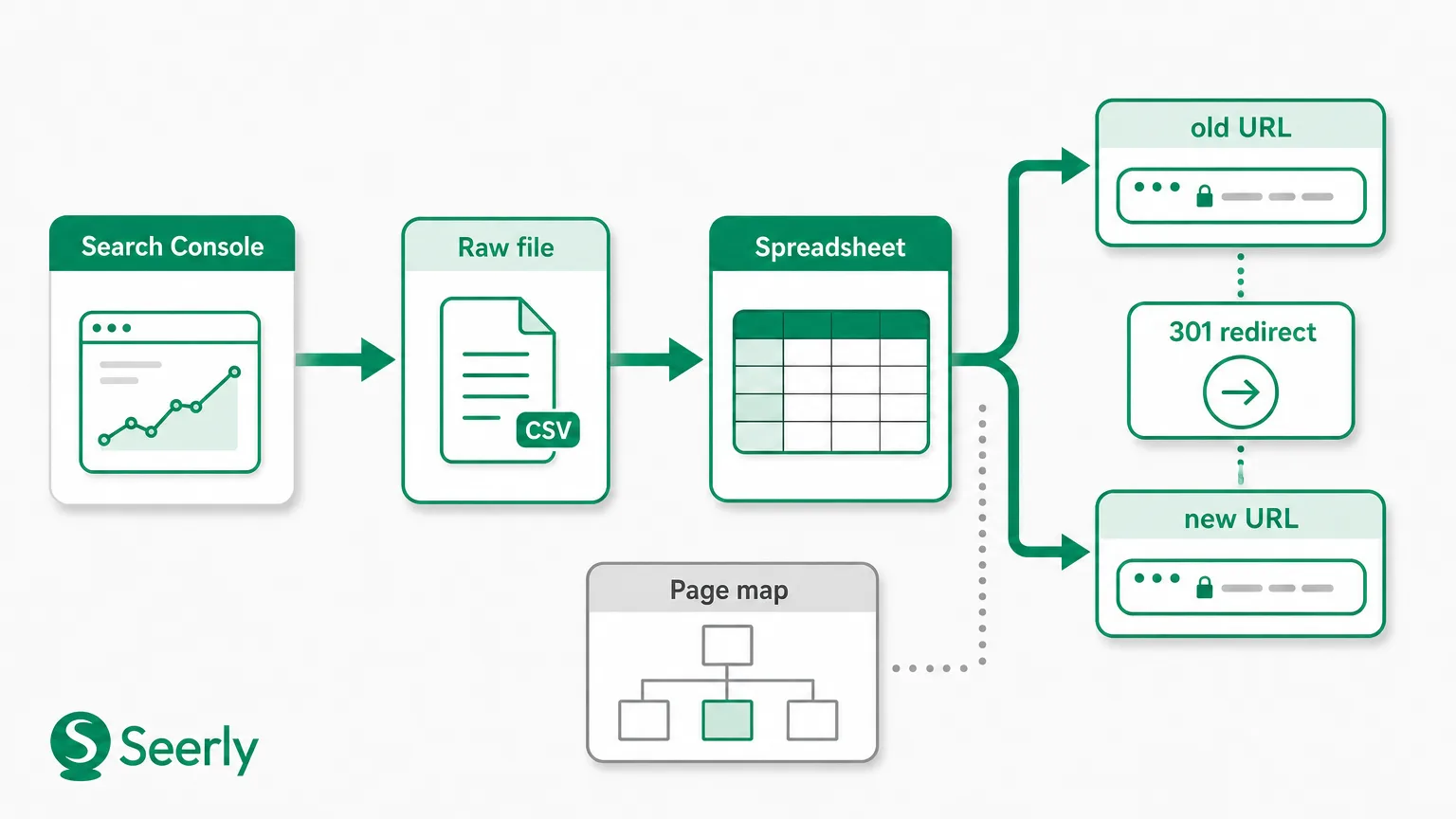
Use your Google keyword rank checker on a fixed date, then export the underlying data and preserve the raw file. Search Console retains a limited history in its interface, while Google’s bulk export option exists for teams that need an ongoing warehouse copy of Search Console data. Google explains the bulk data export workflow here.
For every baseline row, capture the following:
-
Query and current position. Record the exact search query, average position from Search Console, and any rank-tracker position. Treat them as related signals, not interchangeable numbers. Search Console aggregates impressions and positions differently from a simulated results check.
-
Current landing page and intended destination. Save the full old URL, not only a page title. Then add the new URL that should take over the same search need after launch.
-
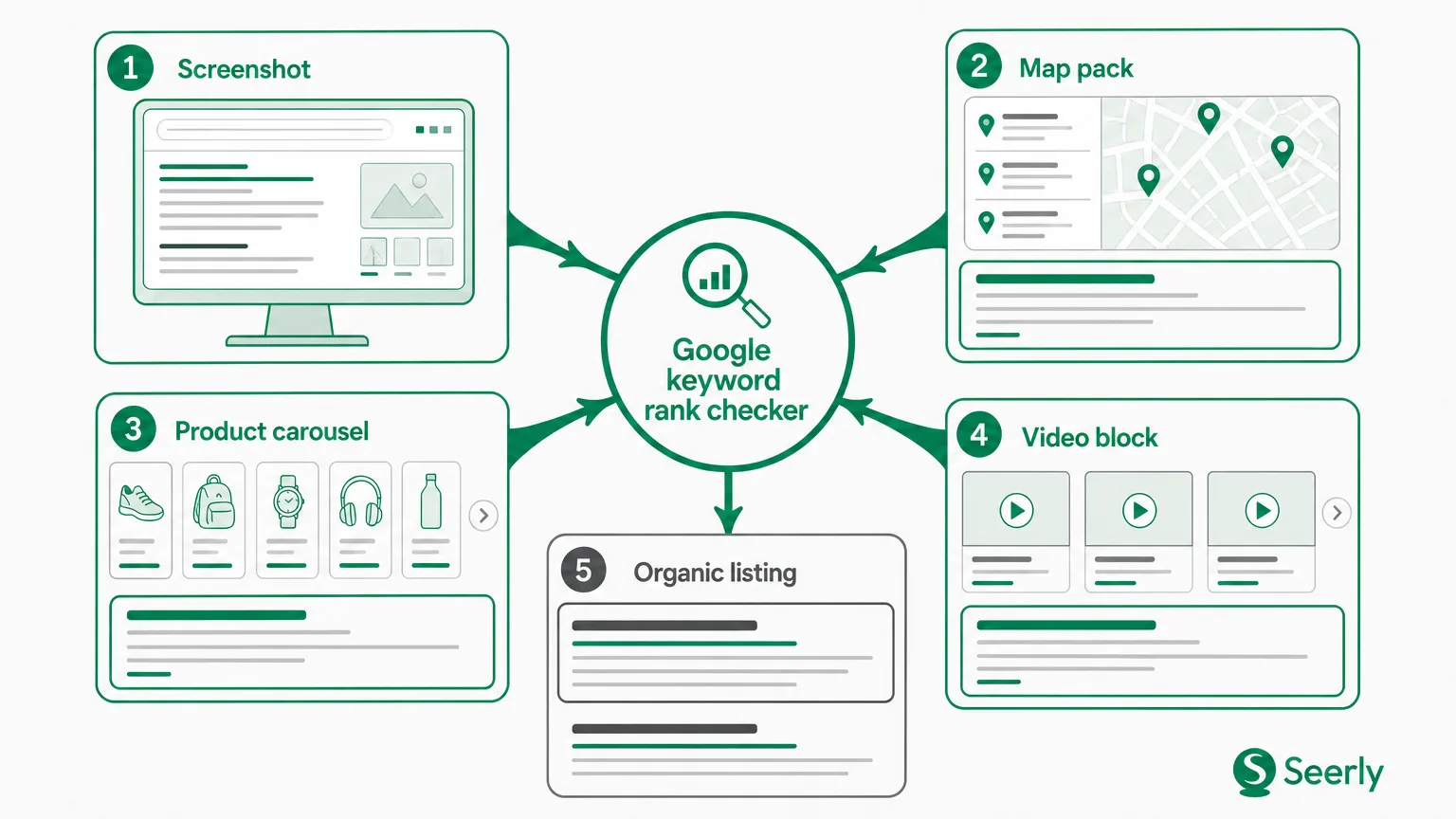
Device, country, and result type. A desktop ranking in the UK can tell a different story from a mobile ranking in the US. Also note whether the query showed product results, a local pack, featured snippet, images, or ordinary blue links.
-
Intent and page evidence. Write a plain-English intent label, then capture the title tag, canonical URL, key on-page heading, and a short note about the page’s purpose. “Transactional, product category” is more useful than a vague label such as “high priority.”
-
Internal-link context and collection date. Note major internal links pointing to the page, such as navigation, category hubs, resource pages, and contextual links. Record the exact date and the data source, because a ranking position without timing is loose evidence.
A spreadsheet works, though I’d avoid making it a dumping ground. A query-to-page intent conflict review can help teams catch cases where Google ranks a different URL than the one the migration plan assumes. Those cases deserve attention before launch, not a panicked rewrite after it.
Match the old page to the new destination
A redirect answers one narrow question: where should the old URL send a visitor? It does not prove that the destination answers the same query. That distinction catches many post-migration losses.
Picture an old page titled “Payroll software for restaurants” that ranks for restaurant-specific buyer queries. The new site retires it and redirects traffic to a broad payroll category page. The redirect may return a clean 301, but the destination now lacks restaurant language, case studies, pricing details, and the industry workflow that made the older page useful. Google has little reason to keep ranking it for the same intent.
Use a page map with a decision column:
| Old URL | Query group | New destination | Mapping type | Intent check | Owner |
|---|---|---|---|---|---|
/payroll-restaurants | restaurant payroll software | /industries/restaurants/payroll | One-to-one | Same commercial need | Content lead |
/guides/payroll-basics | payroll guide, payroll explained | /resources/payroll-guide | One-to-one | Same learning need | Editorial lead |
/features/timesheets and /features/scheduling | workforce management queries | /platform/workforce-management | Many-to-one | Review each query separately | Product lead |
/old-event-2022 | expired event queries | No replacement | Retired | Acceptable retirement | Marketing lead |
One-to-one, many-to-one, and retired pages
One-to-one mappings are the cleanest. The new page should retain the old page’s core subject, audience, and intent, even if design and copy change. A different URL is fine. A different answer is risky.
Many-to-one consolidation deserves a harder review. Query groups that look related in a content inventory may split by intent in search results. If two old pages served distinct jobs, merging them can create a vague replacement page that ranks for neither. This part is honestly a pain, but it is cheaper than rebuilding lost pages later.
Retired pages need an explicit acceptance decision. Mark whether the old query has no ongoing business value, whether another page genuinely answers it, and who accepted the loss. Google’s guidance on site moves with URL changes stresses mapping old URLs to their new locations, but the team still has to judge relevance.
Use the Google keyword rank checker tool after launch, in order
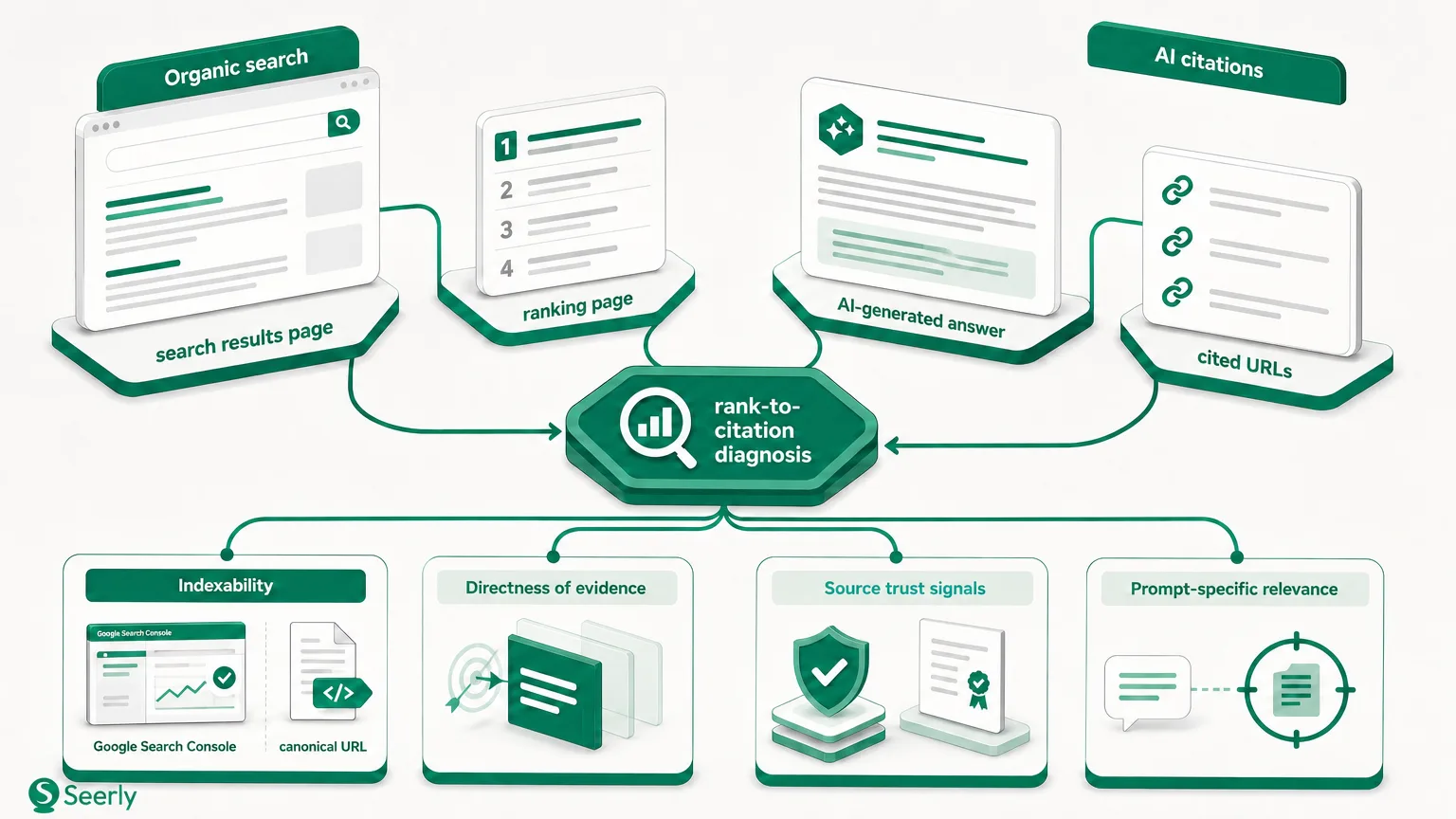
Post-launch rank checking should follow technical diagnosis, not lead it. A daily report might reveal a problem, but it cannot tell you why the problem exists. Start with the site’s ability to be crawled, indexed, and understood.
A practical post-launch sequence
-
Check crawlability. Confirm that priority pages return 200 status codes, robots rules do not block intended crawling, and XML sitemaps list the canonical destination URLs. Google’s documentation explains how robots.txt controls crawler access, which makes it worth checking before editing content.
-
Test redirects and canonicals. Sample old URLs from every major template. Verify that each goes directly to the mapped destination, without chains, loops, irrelevant category pages, or an unexpected canonical tag.
-
Review indexability and page changes. Check
noindex, canonical selection, rendering, title tags, headings, structured content, and removed copy. A redesign often strips the text that explained what the page was for. -
Trace internal links and query-page alignment. Find the links that once supported the old page and point them to the new destination. Then compare the new ranking page against the original intent note. Google may be ranking a different URL because the new architecture changed the site’s topical signals.
Only after those checks should you investigate position movement as a ranking issue. Cross-provider rank monitoring is useful here because disagreement between tools can expose a device, location, or results-layout difference rather than a site failure.
Google keyword rank checker online results need segmentation
A Google keyword rank checker online can make every movement look equally urgent. It isn’t. A three-position decline across fifty mapped commercial pages is different from one mobile-only change on a query that triggers a local pack.
Segment results before assigning work. The table below keeps the response proportionate.
| Pattern | What it may indicate | First response | Urgency |
|---|---|---|---|
| Broad loss across templates, markets, and query types | Technical migration fault, blocked crawling, canonical error, or failed redirects | Audit status codes, indexability, canonicals, and sitemap coverage | Immediate |
| Old URLs fall while mapped consolidated pages gain | Intentional consolidation working unevenly | Check whether total clicks and conversions hold across the combined query group | Planned review |
| A few terms move up and down with no page change | Ordinary result volatility or a changing result layout | Wait for repeated evidence across several collection points | Observe |
| Loss only on mobile, in one country, or near local results | Context mismatch, local competition, device layout, or tracking setup | Recheck location, device, and search-result type | Targeted review |
Do not call a migration successful because average position stayed flat. Averages can hide a swapped landing page or a decline among commercial queries. The reverse is also true: a short-term dip does not prove damage when clicks, impressions, and the intended destination remain stable.
Result pages are lively places. Semrush Sensor tracks volatility by country and category, which is a useful reminder that external movement exists. Still, broad drops clustered around a release date deserve investigation, not reassurance.
When a Google keyword rank checker API is worth using
Manual checks work for a small, fixed baseline. Agencies with several migrations, multiple countries, or large URL sets will outgrow them fast. A Google keyword rank checker API workflow can pull scheduled data into the same table as redirect tests, crawl results, and mapping decisions.
Search Console’s API is a sensible source for query and page performance, though it has aggregation and row limits that teams should understand before treating it as a full keyword database. Google documents how Search Analytics returns the top rows rather than every possible row. Build the collection process around priority query-page pairs, then store the exports so later comparisons use the same fields.
Automation should remove clerical work, not replace review. Flag rows when the ranking URL differs from the mapped destination, when clicks drop across several priority queries, or when a page appears non-indexable. Put a named owner beside each flag. Otherwise, the API simply produces a more expensive pile of data.
Report migration performance without bluffing
Clients and leadership rarely need a daily list of positions. They need a clear account of what the team measured, what it found, what was fixed, and what remains uncertain. Be direct about the limits of the evidence.
A concise weekly update can look like this:
Status: monitoring with two confirmed fixes.
Baseline: 120 query-page pairs collected on 4 March across UK mobile and desktop, plus US desktop for product pages.
Evidence reviewed: Search Console clicks and impressions, sampled redirects, canonical tags, crawl status, and ranking URL changes.
Confirmed issues: 18 old category URLs redirected through an intermediate URL; 11 new pages carried incorrect self-canonicals.
Actions taken: Redirects now point directly to mapped pages; canonical tags were corrected and sitemaps resubmitted.
Still monitoring: Mobile positions for local service queries and two many-to-one consolidations where Google is testing a broad category page.
That format stops teams from claiming certainty too soon. Search systems change over time, and Google itself describes ranking as the output of multiple ranking systems, not a single switch flipped on launch day.
Frequently asked questions
How long should we wait before judging rank changes?
Start technical checks on launch day, then review priority pages over the following days and weeks. Crawl and indexing signals may appear before stable ranking patterns do. A widespread decline needs immediate technical investigation, while isolated movement deserves several observations in the same device and location context.
Should we include branded queries in the baseline?
Yes. Branded queries often reveal whether the new architecture, titles, and canonical signals point clearly to official pages. Include product names, support queries, executive names where relevant, and high-risk policy terms. They are also easier to interpret because intent is often less ambiguous than broad non-branded searches.
Can a 301 redirect preserve every ranking?
No. A 301 is a direction, not a promise about rankings. The destination needs to remain crawlable, indexable, internally supported, and relevant to the original query. When intent changes, a clean redirect may still lead to a decline.
What should trigger an escalation?
Escalate when multiple business-critical query-page pairs lose clicks or rankings, the wrong landing page appears, old URLs return errors, or canonical and indexability checks fail. Give the issue an owner and a deadline. “Keep watching it” is not a plan when paid acquisition or revenue pages are involved.
Before the next release, build a baseline for your highest-value pages, assign an owner to every URL mapping decision, and schedule reviews around evidence rather than daily ranking noise. The uncomfortable question is simple: if a priority page falls next month, will your team know what changed, or only that the number moved?
Learn more at Seerly.