SEO and Shopify in the AI Era: How to Write Product Pages That Earn Discovery
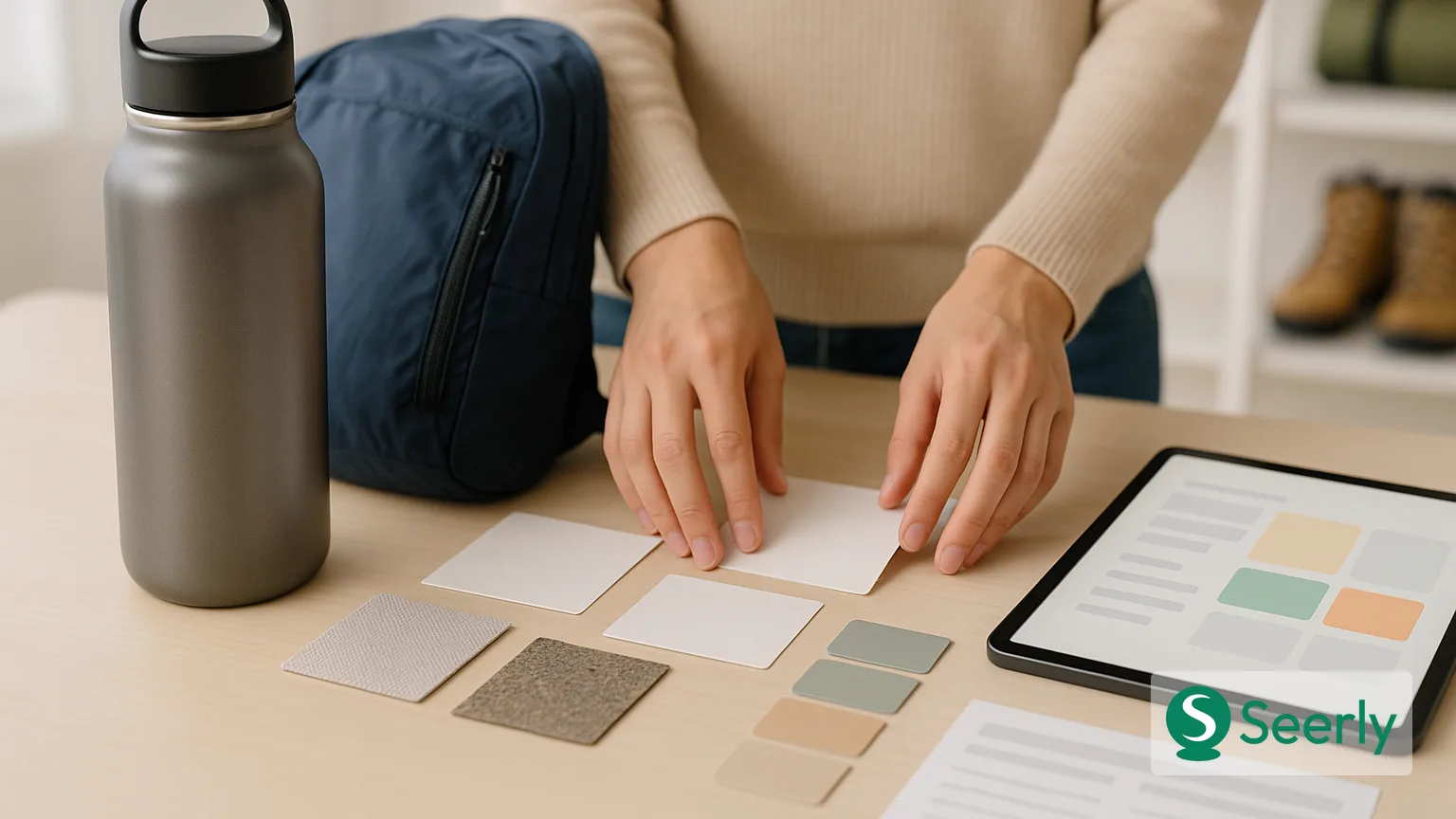
Shopify SEO is no longer only about earning a traditional blue-link ranking. Buyers now research through product comparisons, shopping features, search summaries, and AI-assisted questions such as “Which insulated bottle is best for commuting?” or “What is the difference between these two skincare ingredients?” Your catalog must give search engines - and the systems built on top of them - enough clear, verifiable context to answer those questions accurately.
That changes the standard for a strong product or collection page. A title tag and a few manufacturer sentences are rarely enough to explain what an item is, who it suits, how it differs, and what a customer should expect after purchase. Strong ecommerce visibility depends on merchanting clarity, useful original copy, concise objection handling, and structured product context that is consistent with what shoppers can see on the page.
Why ecommerce SEO now depends on answer-ready product information
Ecommerce prompts are commercially open: shoppers still need help narrowing choices before they buy. They ask for comparisons, use-case recommendations, compatibility details, sizing guidance, delivery expectations, and return terms. A Shopify store that answers those questions directly gives search systems more reliable material to index, summarize, and potentially surface across discovery journeys.
This does not mean writing for a machine at the expense of customers. It means resolving ambiguity for both audiences. Google’s ecommerce guidance recommends helping it understand the relationships among products, variants, and category pages, rather than leaving those relationships implicit in navigation or JavaScript alone. In particular, clear internal linking and consistent URL handling help Google understand ecommerce site structure.
For Shopify teams, the practical implication is straightforward: every important page should make a discrete claim. A product page should establish the product’s identity, specifications, benefits, proof, and purchase conditions. A collection page should establish the category, the intended buyer, the principal differences among options, and the routes to relevant products. That is more durable than treating SEO and Shopify as a metadata task.
The anatomy of a product page AI systems can trust
A trustworthy page is not necessarily long. It is complete in the places that matter to a buyer deciding whether a product fits their needs. The following checklist is especially useful for bestsellers, products with many variants, and items that customers frequently compare.
Name the product precisely
Use a product title that identifies the item rather than relying on internal naming alone. Include the product type and its meaningful differentiator when appropriate: “TrailFlow 22L Waterproof Daypack” is more understandable than “TrailFlow Pack.” Keep variant information consistent between the title, on-page selector, URL, and product markup so that size, color, material, or model details do not conflict.
The first paragraph should then state what the product is designed to do and for whom. Avoid generic claims such as “premium quality” unless you immediately explain the evidence: material, construction, certification, testing, warranty, or measurable feature. This helps buyers evaluate the offer and gives search systems a clearer entity description.
Turn specifications into scannable evidence
Specs should be easy to extract visually and meaningful in context. Use a labeled table or short bullet list for dimensions, capacity, material, compatibility, care requirements, included components, and technical limits. Do not bury critical specifications in a dense description, expandable image, or product PDF alone.
Add a brief explanation where a specification affects the buying decision. For example, “Fits laptops up to 16 inches” is useful, but “The padded sleeve fits most 16-inch laptops; exterior dimensions are 18 × 12 × 6 inches” reduces uncertainty. This also prevents a common Shopify SEO failure: pages that name features without explaining their practical consequence.
Make purchase conditions easy to find
Shipping, delivery windows, stock status, returns, warranty coverage, and subscription terms affect whether a buyer can act. Place concise policy context near the purchase area, then link to the full policy. Google notes that ecommerce structured data can communicate price, availability, shipping details, and return policy information in ways that make offers more eligible for richer shopping experiences, but the visible page must remain the source of truth.
Where applicable, follow Google’s requirements for Product structured data and merchant listings. Markup can clarify an offer; it cannot safely compensate for missing or misleading customer-facing information.
Add trust-building proof and concise Q&A
Evidence can include verified review themes, material certifications, expert testing methodology, warranty terms, care instructions, or original product photography that shows scale and use. Use only claims your business can substantiate. A page that declares an item “best for travel” should explain why: weight, dimensions, closure system, battery life, or another observable attribute.
End with three to five concise questions based on real customer objections. Good examples include “Will it fit in an overhead bin?”, “Is it compatible with [device]?”, and “Can it be machine washed?” Answer directly first, then add the qualification a buyer needs. For a broader framework on creating answerable pages without making brand language generic, see Seerly’s guide to writing pages answer engines can quote without flattening your brand voice.
How to write collection pages that do more than list products
A collection page should not function as a silent grid. It is often the page that helps a shopper understand the category before they choose an individual SKU, especially when products differ by use case, size, price point, or material. Baymard’s research on category usability emphasizes that category navigation and product-listing design strongly affect shoppers’ ability to find an appropriate product, not simply any product.
Start with a useful category introduction
Write a short introduction above the grid that defines the category and offers immediate buying guidance. For a “Running Jackets” collection, describe the main decision factors - weather protection, insulation, breathability, fit, and packability - rather than repeating “shop running jackets” several times. Keep it specific enough that a first-time buyer can recognize whether the collection is relevant.
Below the grid, add deeper guidance where it will not interrupt browsing. Explain how product types compare, which features matter for different conditions, and when to select one option over another. This responds to the underlying query rather than merely exposing inventory.
Build category FAQs around selection questions
Collection FAQs should handle questions that span multiple products: “What is the difference between waterproof and water-resistant?”, “Which size is best for layered clothing?”, or “Which models work for winter commuting?” These answers should link to the most relevant products or subcollections, not force readers back to a generic menu.
Use descriptive internal links in body copy and FAQs. For example, a hiking boots collection can link to “wide-fit waterproof boots” or “lightweight day-hiking boots,” not simply “shop now.” This aligns with Google’s recommendation to use crawlable, logical links to expose product relationships.
Use comparison language responsibly
Comparisons are valuable when they explain actual distinctions. State the criteria: capacity, fabric weight, heel drop, included accessories, battery runtime, or intended environment. Avoid declaring one product universally “better” when the difference is contextual. Clear comparison language supports customer decision-making and gives systems a more accurate basis for summaries.
Where schema and Search Console fit into the workflow
Structured data is an implementation layer, not the editorial strategy. Shopify can generate some SEO and sitemap functionality automatically, including a sitemap that Shopify creates for stores and updates as pages change. Your team still needs to review whether indexable pages, canonical URLs, navigation, and product facts reflect the catalog you want discovered.
First, validate representative products across important templates: a standard product, a sale item, an out-of-stock item, a product with variants, and a product with shipping or return information. Confirm that price, availability, ratings, identifiers, and variant details in structured data match the visible page. Google provides implementation guidance on including ecommerce-relevant structured data, including the value of pairing on-page markup with Merchant Center feeds when relevant.
Second, use Google Search Console to identify pages that receive impressions but attract weak clicks, or that have lost impressions after a template, collection, or inventory change. Investigate query intent before rewriting: a page may be mismatched to what buyers seek, insufficiently differentiated from similar URLs, or lacking the details that make it useful. If traffic drops sharply, use a structured diagnosis process rather than changing copy indiscriminately; Seerly’s framework for checking SEO after an organic traffic drop outlines that discipline.
Finally, treat page experience as a commercial requirement. Slow, unstable product media, intrusive overlays, and difficult mobile interactions can undermine a well-written page. Google’s page experience guidance emphasizes a reliable, secure, and user-focused experience rather than a single technical score.
Worked example: turning thin vendor copy into discovery-ready copy
Consider a fictional Shopify product called the “Northline Steel Bottle.”
Before: “Stay hydrated with the Northline Steel Bottle. Durable, stylish, and perfect for everyday use. Available in several colors.”
This copy says almost nothing a buyer can compare. It does not state capacity, insulation performance, lid type, material, cleaning method, intended uses, or what “durable” means. It could appear on hundreds of competing pages with only the product name changed.
After: “The Northline Steel Bottle is a 750 ml insulated stainless-steel bottle for commuters, day hikers, and gym users who want one bottle that fits a standard car cup holder. Its double-wall construction is designed to keep cold drinks chilled during a workday, while the leak-resistant screw cap prevents spills in a backpack. The 6.8 cm opening fits standard ice cubes and makes hand-washing easier.”
Then add a specification block: capacity, empty weight, height, diameter, steel grade, lid type, dishwasher status, and included accessories. Add use-case guidance: “Choose the 750 ml size for full-day commuting; choose 500 ml when bag space matters more.” Finish with FAQs such as “Does it fit a bicycle bottle cage?” and “Can it hold carbonated drinks?” The revised page does not rely on inflated language. It earns discovery by offering specific, reusable answers.
The mistakes that hurt ecommerce visibility most
| Weak pattern | Why it creates a problem | Better approach |
|---|---|---|
| Duplicate vendor descriptions | Pages offer little original evidence or differentiation. | Write a unique use-case introduction, specs, and FAQs for priority products. |
| Vague collection introductions | Search systems and customers cannot tell what the category is for. | Define the category, buyer, decision criteria, and subtypes. |
| Missing entity details | Key facts such as material, compatibility, model, or dimensions remain unclear. | Use structured, visible specifications and consistent variant labels. |
| Weak internal linking | Important products and category relationships are harder to discover. | Link related collections, alternatives, accessories, and guides with descriptive anchors. |
| No answer blocks | Common objections remain unresolved until checkout or support. | Add concise product and collection FAQs based on customer questions. |
These issues are connected. A collection with weak guidance sends shoppers to thin product pages; thin product pages provide no reason to explore related products; poor internal links make the whole catalog harder to interpret. Fixing one flagship path - from collection to product to related alternative - can be more valuable than lightly editing hundreds of low-intent pages.
A practical checklist for prioritizing catalog pages
Start where stronger information can have the greatest commercial impact. Prioritize one flagship collection, then three high-intent product pages: a bestseller, a frequently compared product, and a product that already receives impressions but has weak engagement. These pages give you enough variation to learn which content gaps matter most.
For each page, score four factors from one to five: commercial value, existing demand, information gap, and template reach. Commercial value reflects margin, strategic importance, or conversion potential. Existing demand includes Search Console impressions, paid-search query data, and customer-support volume. Information gap measures how much critical detail is absent, while template reach captures whether a fix can improve related pages at scale.
Work in this order:
- Correct factual gaps in names, variants, specifications, shipping, and returns.
- Rewrite thin copy around use cases and measurable differentiators.
- Add product or category FAQs that address high-friction questions.
- Strengthen internal links among collections, products, alternatives, and accessories.
- Validate markup and monitor organic performance, indexing, and broader AI search discovery over time.
FAQ
Does every Shopify product need unique copy?
Every indexable product should have enough original information to establish its identity and buying context. That does not require a 500-word essay for every low-value variant. For close variants, keep shared facts consistent while adding the specific details that genuinely differ, such as capacity, material, fit, compatibility, or color-dependent features.
How much text should a collection page have?
There is no universal word count. Include enough copy to define the category, guide selection, explain meaningful differences, and answer common questions without obscuring the product grid. A focused introduction plus a substantial buying guide and FAQ below the listings is often more useful than a long, repetitive paragraph at the top.
Can structured data alone fix weak ecommerce content?
No. Structured data helps machines interpret defined facts, and it can support eligibility for enhanced ecommerce appearances. It cannot invent trustworthy product evidence, resolve vague claims, or make a poor page helpful to a buyer. The best results come when markup confirms clear on-page information.
Build an AI-ready Shopify catalog one decision path at a time
The most effective SEO and Shopify program is not a catalog-wide rewrite performed by instinct. Begin with one collection page and three high-intent products. Improve the copy, specifications, comparison guidance, and FAQs first; then validate structured data and monitor changes in impressions, clicks, rankings, and reuse in AI-assisted discovery.
As patterns emerge, extend the approach to adjacent categories and templates. Seerly can help teams track whether stronger page structure and trust signals contribute to broader visibility rankings over time - so catalog optimization becomes a data-driven management practice, not a one-time content project.