The impression-to-intent split: a worked example for prioritising SaaS search pages
Your impressions are rising, but the content backlog isn’t getting any shorter. A product page attracts searches about software alongside questions that a glossary could answer. Which audience should determine what the team changes next?
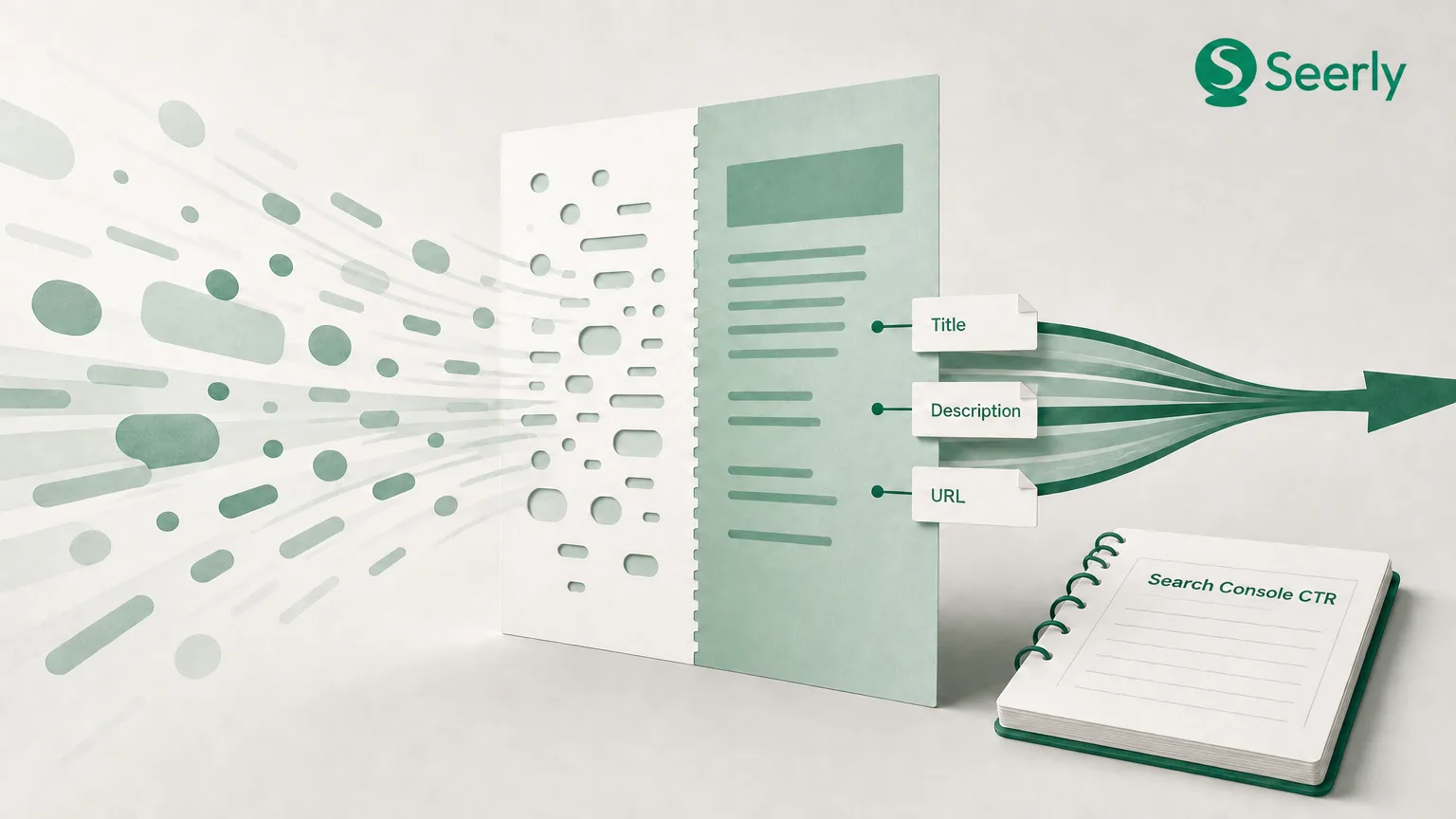
For SaaS marketing managers, Search Console CTR becomes useful when it connects a searcher’s intent with a page’s purpose. Pool those audiences, and a promising product-discovery opportunity can disappear inside broad informational exposure. Or a busy page can look commercially useful without evidence that buyers want it.
The example below uses a hypothetical workflow-software page, not a customer case study. No performance figures or outcomes are invented. Instead, the worksheet shows how to turn your own query data into a defensible improvement hypothesis.
Why can rising impressions hide a Search Console CTR problem?
“What is workflow automation?” and “workflow software with approval routing” might surface the same page. But those searches ask for different things. One seeks an explanation; the other suggests a requirement that software might satisfy.
Search Console CTR is clicks divided by impressions, expressed as a percentage. It measures click-through, not purchase intent or conversion quality.
If informational impressions grow faster than product-discovery impressions, the pooled CTR can fall even when buyer-query performance hasn’t changed. Calculate each group’s CTR from its total clicks and impressions, not an average of query-level percentages. Honestly, I’d rather investigate a smaller group with clear product relevance than rewrite a page around its biggest, vaguest query.
What data should be pulled before judging a page?
Start with one URL, not the whole property. Google’s default Performance report shows click and impression data for the past three months, with controls for metrics, dimensions and date ranges. Treat that default as a starting point, then choose a comparison period that suits your business cycle.
-
Fix the scope. Record the URL, date range and search type. Keep country and device filters consistent when comparing periods.
-
Export the query evidence. Pull queries with impressions, clicks, CTR and average position for the selected page. Retain the page association.
-
Write down the page’s job. Label it as a product page, educational article, comparison or another specific role. Add its intended next action.
-
Add commercial context. Record which needs the product genuinely meets and any relevant conversion evidence from analytics. Search Console alone cannot establish lead quality.
Keep a caveat beside the export: Search Console omits anonymised queries from query tables. Classify the visible evidence without claiming it describes every impression.
Which queries indicate a buyer is evaluating a solution?
“Approval workflow software” deserves a different label from “approval workflow meaning.” Neither phrase proves someone will buy, but the software query makes product evaluation a stronger working hypothesis. Use a worksheet rather than trusting volume alone.
| Query group | Example wording | Implied need | Commercial check |
|---|---|---|---|
| Informational learning | “what is workflow automation” | Understand a concept | Does education support a relevant journey? |
| Problem-aware investigation | “how to stop approval delays” | Diagnose a recurring problem | Can the product address the cause? |
| Category evaluation | “approval workflow software” | Assess a software category | Does the page explain fit and limitations? |
| Brand or solution discovery | “[brand] approval routing” | Investigate a named solution | Is this evaluation, support or navigation? |
Add a confidence label when wording is ambiguous. A branded query containing “login” shouldn’t inherit the commercial priority of a pricing query. Look, the labels are useful only if someone checks what the searcher appears to need.
What can high impressions and low click-through rate tell you?
Take the hypothetical page /workflow-software. Its title reads “Work better together,” while its description discusses productivity without naming approval routing. The opening section promises easier collaboration, but the page contains no worked approval example.
Now inspect its actual query groups. If category-evaluation searches repeatedly mention approvals, compare their CTR with similar non-brand queries at comparable positions and on the same device type. Low CTR is a diagnostic signal, not proof that the snippet is responsible.
Google specifically recommends using high-impression, low-CTR queries to identify opportunities to improve page titles and descriptions. For this page, annotate the mismatch before writing anything:
| Element | Review finding | Proposed response |
|---|---|---|
| Query intent | Searchers name approval routing | Confirm the capability exists |
| Title and description | Generic productivity language | Name the relevant capability accurately |
| Page promise | Collaboration, without approval detail | Explain the approval workflow |
| Evidence gap | No visible process example | Add a truthful walkthrough |
Why would a buyer click if the result never acknowledges their requirement? Still, a sharper title cannot repair a missing capability. Not ideal.
When should the team rewrite the snippet, improve the page, or build a new asset?
Follow the mismatch. If the page already answers the query well, test title and description refinement first. If its promise is accurate but unsupported, improve the page before advertising a stronger answer.
Use this decision tree:
-
Correct page, unclear search presentation? Refine the title and description around the supported buyer need.
-
Correct page, incomplete answer? Add relevant product detail or evidence, including limitations where they affect fit.
-
Several pages answering the same need? Review their distinct roles before consolidation. Overlapping queries alone aren’t enough.
-
Different intent requiring a different experience? Create a separate asset, such as an educational guide, rather than stretching the product page.
For the hypothetical page, approval-routing detail comes before a stronger approval-routing promise. After that, Seerly’s page-readiness check can support a separate review of technical accessibility and content structure. Keep that review distinct from the CTR hypothesis.
How should results be reviewed after changes?
Write the hypothesis before editing: “Clarifying approval-routing relevance will increase clicks from category-evaluation queries at comparable positions.” Record the release date and avoid changing several unrelated elements at once. I prefer a smaller interpretable test to a page overhaul nobody can explain.
| Review field | What to record |
|---|---|
| Hypothesis and query group | Expected change and fixed classification rules |
| Page change | Exact edits and publication date |
| Before and after | Matching date windows; impressions, clicks, CTR and position |
| Business check | Relevant enquiries or product actions, where measurable |
| AI observations | Fixed prompts, engine, test date and cited page |
Use Seerly’s documented measurement loop to frame separate AI observations. Don’t treat a changed answer as evidence that a CTR edit caused it.
Frequently asked questions
What is a good CTR for a SaaS page?
There’s no universal target. Compare similar intent groups under comparable search conditions. Then check whether the clicks support the page’s commercial purpose.
What should the team change first?
Choose one page with strong impressions and weak click-through, then classify its top queries. Prioritise relevant buyer intent the page isn’t satisfying. Write one testable hypothesis before editing; for the parallel AI-search review, learn more at Seerly.