Original evidence assets: the blog components that create a reason to click
A well-written introduction, clear headings, and comprehensive coverage no longer guarantee that someone needs to visit your page. If an AI-generated result can summarize everything useful in the article, the reader may already have enough information. The editorial challenge is not simply to write a better explanation; it is to contribute something worth inspecting, applying, or verifying.
That tension is visible in search behavior. Pew Research Center’s analysis of U.S. browsing activity in March 2025 found that users clicked traditional search results on 8% of visits with an AI summary, compared with 15% without one. That observational finding does not predict every website’s traffic, but it makes the planning question urgent: what will readers still need from your page?
For teams planning Google AI Overviews content, the strongest starting point is an evidence asset: an original, inspectable component that helps someone make a specific decision. Choose that asset before drafting, rather than adding differentiation after the article is written. The framework below explains what to choose, how to document it, and how to review its usefulness.
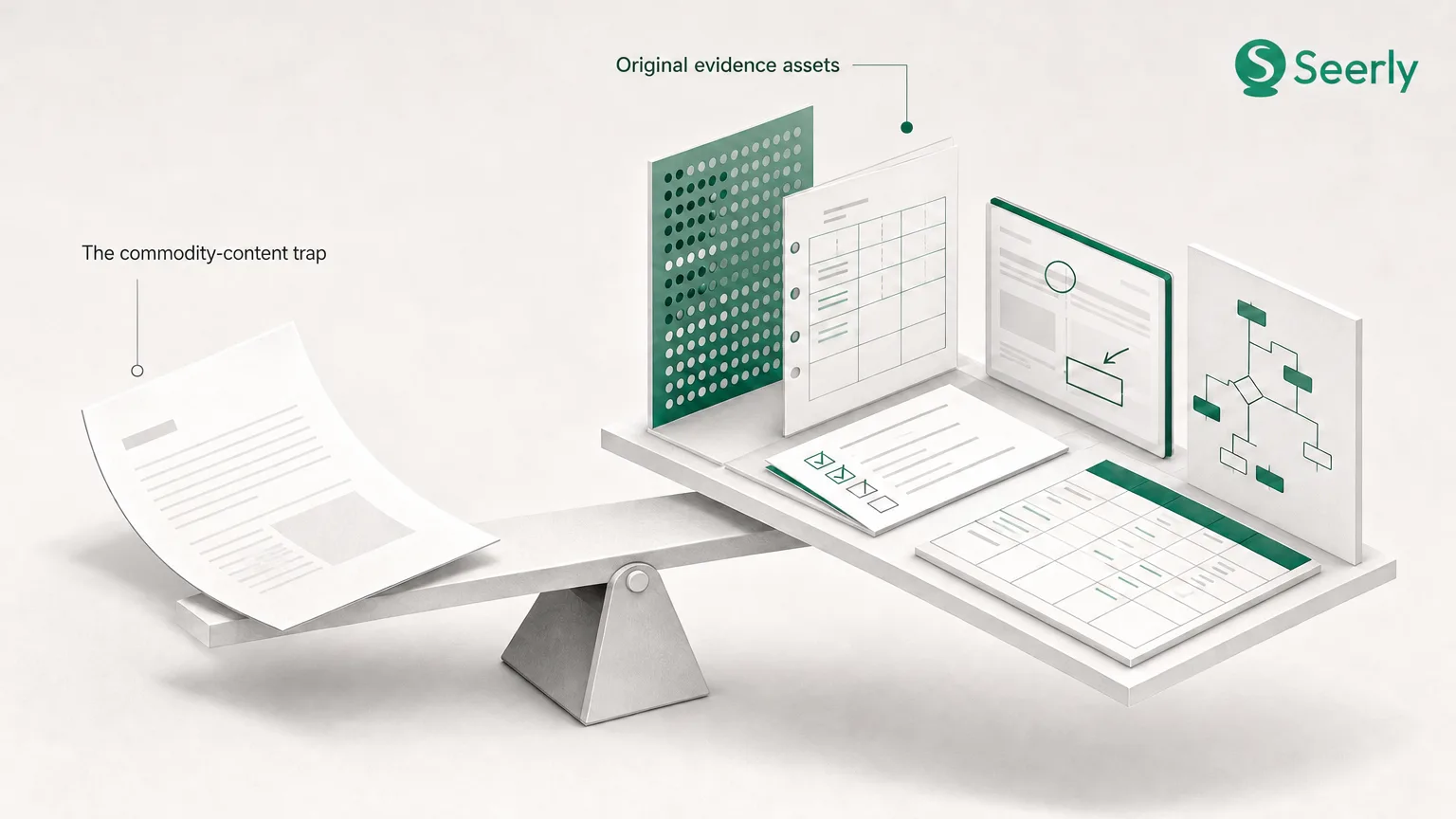
The commodity-content trap
Commodity content restates information already available across many accessible sources. It may be accurate and readable, yet contribute no new observation, method, or practical capability. A page defining onboarding metrics, for example, is different from a documented framework showing which metric to investigate when activation stalls.
Google explains that its generative AI Search features use retrieval-augmented generation to retrieve relevant, up-to-date pages from its Search index through core Search ranking systems. That makes established search fundamentals relevant, but it does not make any particular asset a guaranteed route to inclusion. Distinctive evidence is an editorial advantage, not a published ranking formula.
Separate two goals: giving an answer system useful material to reference and giving a person a reason to visit. An original finding may support the first; its underlying dataset, diagnostic worksheet, or demonstration may support the second. Neither visibility nor a citation automatically produces a referral, so the page needs value beyond its summary.
Choose an asset that matches the reader’s decision
Start with the reader’s unresolved question, not the format your team prefers producing. Proof requires different evidence from diagnosis, and diagnosis requires different support from implementation. The following eight assets offer practical options, provided their documentation matches the claims they make.
Original benchmarks: “What should we compare against?”
A benchmark suits readers deciding whether an observed result is unusual or worth investigating. For example, a team could compare task-completion times across clearly defined workflows, rather than publish another list of productivity tips. Minimum credibility requires the sample size, selection method, collection dates, metric definitions, relevant conditions, and limitations; disclose whether the sample represents customers, volunteers, or an internal test.
Annotated screenshots: “What am I looking at?”
Screenshots help readers recognize a condition in an interface, report, or configuration. Useful annotations identify the signal, explain its significance, and distinguish it from nearby distractions. Include the capture date, relevant product version or account context, and enough surrounding information to interpret the image; redact sensitive details and never present a mockup as a live observation.
Expert commentary: “Which trade-off matters here?”
Expert commentary is strongest when it explains judgment under constraints, not when it repeats familiar advice. Ask a practitioner what would change their recommendation, which exceptions matter, and what evidence they would seek next. Credibility requires attributable expertise, relevant experience, disclosure of commercial interests, and a clear distinction between professional opinion and documented findings.
Calculation templates: “What does this mean for us?”
A calculation template helps readers apply a method to their own inputs. A capacity-planning worksheet, for example, can expose how staffing assumptions affect delivery estimates instead of offering a universal staffing recommendation. Publish formulas, units, input definitions, assumptions, and boundary conditions, and label demonstration values as illustrative rather than observed results.
Process documentation: “How can we repeat this?”
Process documentation makes practical expertise inspectable by showing the sequence behind a task. An audit procedure becomes more useful when it includes prerequisites, decision points, failure conditions, and expected outputs. Minimum evidence includes the operating context, responsible roles, verification steps, and a clear statement of whether the process has been used in practice or remains a proposed workflow.
Comparison criteria: “Which option fits these constraints?”
A comparison framework helps readers choose without pretending there is one universally superior option. For instance, a migration decision might depend on rollback capability, maintenance burden, accessibility, and implementation effort rather than feature count alone. Define each criterion, explain any weighting, identify the evidence supporting assessments, and disclose relationships that could influence the comparison.
Visual explainers: “How do these parts interact?”
A useful visual explains a relationship that prose alone makes difficult to follow. A dependency map or decision tree can show where an input changes the recommended action, while a decorative illustration cannot. Credibility requires labeled components, a legend where needed, source attribution for underlying information, and a distinction between measured relationships and conceptual ones; provide an accessible text equivalent.
Short demonstrations: “What happens when I do this?”
A demonstration suits tasks where sequence, interaction, or visible behavior matters. Show the starting state, the action, the resulting state, and any exception that changes the outcome. Identify the environment and prerequisites, disclose edits or accelerated footage, and include captions plus a written explanation so the evidence remains usable without watching the video.
Turn an expert process into a sourceable page
Internal knowledge rarely arrives ready for publication. It is often scattered across meeting notes, spreadsheets, support conversations, and individual experience. Use this workflow to turn it into something readers can inspect without overstating what the evidence establishes.
1. Select one narrow decision
Replace a broad topic such as “improve onboarding” with a decision such as “which activation step should we investigate first?” Identify who makes that decision and what information they currently lack. This keeps the asset focused and prevents an article from promising more than its evidence can answer.
2. Document inputs and constraints
Record what the method needs: event definitions, access permissions, time windows, software versions, or other relevant conditions. Explain exclusions and constraints that could alter interpretation, including missing data or differences between environments. Readers should be able to judge whether the method fits their situation before investing time in it.
3. Show the method
Describe how inputs become a conclusion, including checks, branching rules, and reasons for rejecting alternatives. Publish the actual formula or checklist where possible instead of hiding it behind “our proprietary approach.” Place the explanation beside the supporting table or image so readers do not have to reconstruct the connection.
4. Separate observations from assumptions
Label what was observed, what was inferred, and what remains hypothetical. If a worked example uses invented inputs, mark it “illustrative example using synthetic data”; if it is a composite, explain that it combines situations and is not a single documented case. Do not present a representative scenario as a customer result or use quotation marks to imply an interview occurred.
5. Publish a reusable output
Give readers something they can apply: a copyable table, downloadable worksheet, decision tree, or checklist. Pair it with instructions, limitations, a review date, and an update owner, while keeping the central explanation available on the page. Teams building content workflows for AI search visibility can make these requirements part of the brief rather than a final editorial check.
Publishing shortcuts that do not replace evidence
Myth: More near-identical query pages create more opportunities to be useful.
Fact: A different keyword is not necessarily a different reader need. Separate pages should justify themselves through distinct decisions, evidence, or operating contexts, rather than interchangeable introductions. Google warns that generating many pages without adding value may violate its scaled content abuse policy, regardless of whether the production workflow involves AI.
Myth: Adding an AI text file makes generic content ready for generative search.
Fact: A file cannot substitute for information the page does not contain. Google advises site owners to prioritize unique, valuable content and says they can ignore unnecessary AI text files such as llms.txt for Google Search generative AI optimization. Treat such files as a separate technical question, not an evidence strategy.
Myth: A polished summary demonstrates expertise.
Fact: Fluency alone does not show where knowledge came from or when advice stops applying. An expert contribution should reveal judgment, constraints, supporting material, and exceptions - not merely attach a biography to generic prose. If the page claims firsthand experience, the reader should be able to identify whose experience it is and what supports the claim.
Review the draft with an evidence-asset checklist
Before approving the article, review the asset separately from the prose. A compelling narrative can conceal weak documentation, while a useful worksheet can become confusing without instructions. Use these checks to identify what needs strengthening before publication.
- Originality: Does the page contribute an observation, method, synthesis, or tool rather than merely rephrase existing answers?
- Specificity: Is the asset tied to a defined audience, decision, and operating context?
- Proof: Can readers inspect the supporting sources, method, inputs, or attributable expertise?
- Usability: Can someone apply the asset without requesting an explanation from its author?
- Update ownership: Is someone responsible for reviewing changing inputs, screenshots, formulas, and recommendations?
- Visual support: Do images or demonstrations clarify evidence, with captions and accessible alternatives?
- Limitations: Are exclusions, assumptions, uncertainty, and illustrative examples clearly labeled?
- Next decision: Does the asset help readers choose, diagnose, calculate, verify, or implement something specific?
These checks are an editorial standard, not a Google scoring system. A benchmark may need stronger sampling disclosure, while a demonstration may need clearer environment details. Resolve the weaknesses that affect interpretation rather than adding every possible asset to every post.
Choose the evidence before the next draft
Inventory the valuable knowledge your team already holds: repeatable diagnostics, calculation sheets, implementation notes, expert judgments, and documented observations. Select one asset for the next editorial cycle, define the reader’s decision, and assign responsibility for its evidence and maintenance. The goal is not to make every post a research project; it is to give each important post something a generic answer cannot replace.
After publication, track its discovery and citation signals in Monitoring > Citations > Overview, using AI search visibility monitoring alongside referral and engagement data. Treat citations, visits, and asset usage as separate signals rather than interchangeable measures of success. The strongest result is a page that can inform an AI-generated answer while still offering readers a clear reason to click.