Google URL Builder for Founders: Clean UTM Rules for Measuring Organic, Paid, and AI Traffic Together

If your weekly growth dashboard keeps changing its story, the problem may not be performance. It may be tagging. Founder-led teams often compare paid clicks, organic visits, launch traffic, partner referrals, and newer AI-driven discovery in one view, then make decisions from data that was never structured to be compared cleanly in the first place. A few inconsistent UTMs, a handful of untagged links, and one teammate using a different naming style are enough to distort channel reporting.
That matters because campaign tagging is not a cosmetic analytics task. Google Analytics uses manual campaign parameters to classify incoming traffic, and manual tagging can define source, medium, campaign, term, and content values used in reporting. When those values are inconsistent, founders do not just get messy spreadsheets. They get unreliable answers to high-stakes questions: Which launch channel actually worked? Did paid search assist demand or just harvest it? Are “direct” spikes really direct, or are they untagged campaign clicks? And when AI assistants or chat products start sending visits, are those visits visible as a distinct discovery motion or buried inside generic referral traffic?
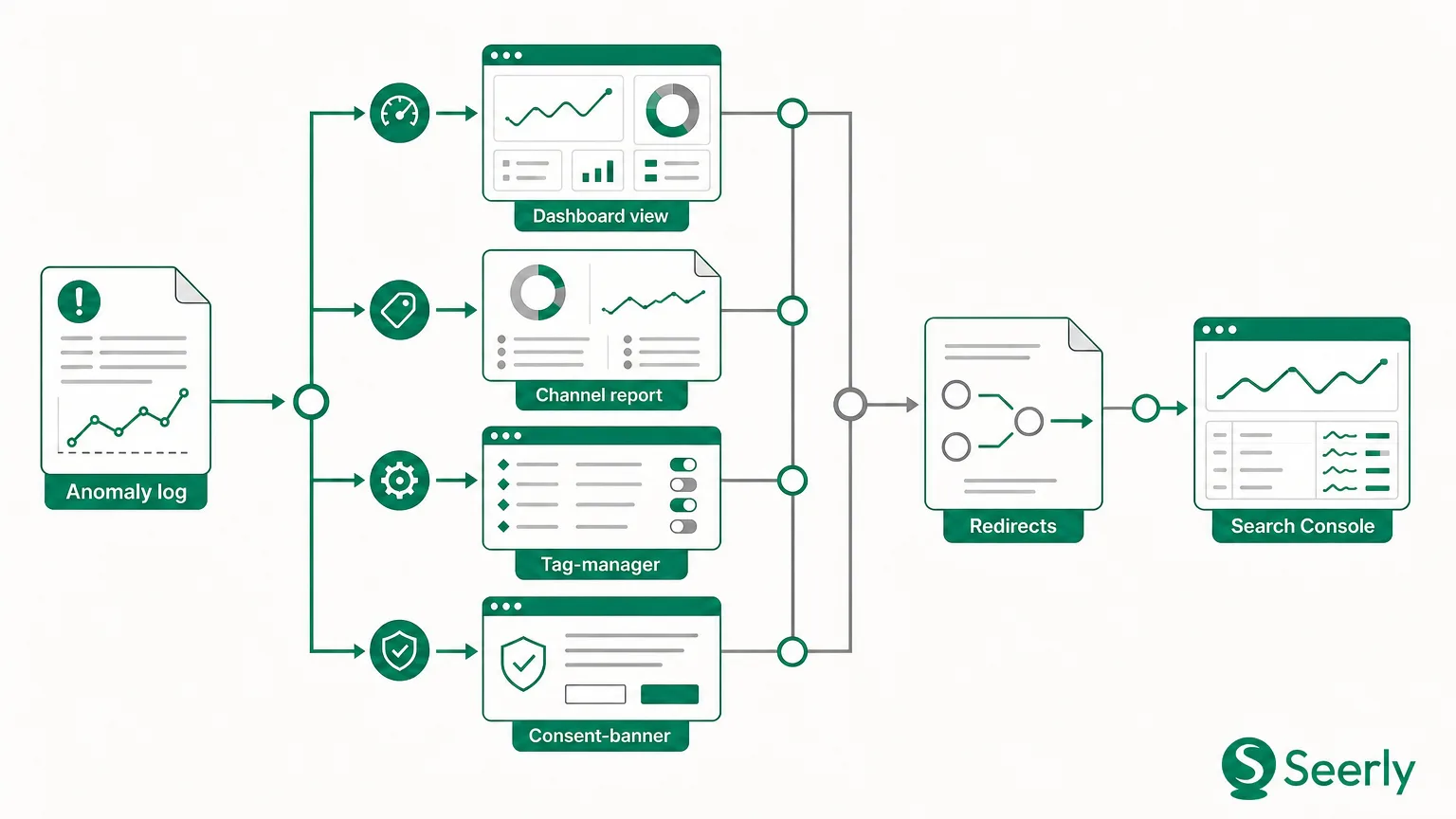
The practical use of a google url builder is not simply to create tagged links. It is to create a system that makes channel comparisons trustworthy. That is especially important for lean teams building their first acquisition dashboard, where one broken naming pattern can ripple through weekly reporting for months. This guide explains how to use a Google URL Builder well, how to define a repeatable UTM framework, what breaks when teams improvise, and how to review campaign data in a way that separates real demand from attribution noise.
Why inconsistent campaign URLs lead teams to misread growth
UTM parameters were created to help analytics tools distinguish traffic sources and campaign context, and the standard parameter set is widely used to identify where visits come from and how a link was shared. In practice, though, most early-stage teams treat UTMs as an ad hoc step done right before posting on LinkedIn, sending an email, or launching a paid campaign. That creates a hidden reporting problem: the data looks precise, but the inputs are not standardized.
Google Analytics also groups traffic into channels based on source and medium definitions, and default channel groupings depend on consistent source and medium rules. If one teammate tags a LinkedIn post as linkedin / social, another uses LinkedIn / paid-social, and a third leaves the link untagged, your reporting will fracture. Suddenly a single initiative appears across multiple rows, and channel totals stop meaning what leaders think they mean.
This gets more complicated when organic, paid, and AI-assisted discovery overlap. A founder may see a traffic rise after a product announcement and assume SEO momentum improved. In reality, part of that lift may come from tagged social distribution, part from paid retargeting, part from partner newsletters, and part from people discovering the brand through AI tools and then visiting directly. If your URL tagging is loose, those paths blur together. Teams then over-credit the last visible source, under-credit awareness channels, and fail to notice when analytics is no longer fully explaining discovery behavior.
That is why disciplined campaign URLs are foundational. Before you can interpret AI-era visibility or compare newer discovery sources against established channels, you need reliable attribution hygiene. The google url builder is useful only when it sits inside that broader operational rule set.
How to build a clean UTM naming framework with Google URL Builder
A google url builder helps you append campaign parameters to a destination URL. The mechanics are easy. The hard part is deciding what your team should enter every time. A durable framework has three traits: it is limited, documented, and boring. If people have too many choices, they will invent variations. If the rules are not written down, they will drift. If the naming is overly clever, no one will follow it consistently.
Start with the five standard UTM fields
Google Analytics recognizes the common manual campaign fields, and Google’s campaign URL guidance outlines source, medium, campaign, term, and content as the standard parameters. For most founder dashboards, three fields matter on nearly every link:
utm_source: who sent the trafficutm_medium: the marketing channel typeutm_campaign: the initiative or time-bound effort
The other two are optional but useful:
utm_content: creative variation, placement, or CTAutm_term: paid keyword or audience term when relevant
The mistake is not underusing UTMs. It is overloading each field with different meanings. If utm_source sometimes means platform, sometimes partner name, and sometimes campaign owner, reporting becomes impossible to normalize.
Use one meaning per field
A simple framework for a lean SaaS team looks like this:
- Source = platform, publisher, or partner
- Medium = channel category
- Campaign = business initiative
- Content = variation or asset placement
- Term = keyword, audience, or targeting detail when useful
That means linkedin belongs in source, not medium. paid_social belongs in medium, not campaign. spring_launch_2026 belongs in campaign, not content.
Set formatting rules before anyone creates links
The most common scaling problems with campaign builders come from inconsistency rather than tool failure, and teams often run into reporting friction when URL tagging processes do not scale across multiple people and campaigns. To prevent that, define format rules such as:
- all lowercase
- use underscores or hyphens, not spaces
- no dates unless date granularity is required
- no person names in campaign values
- no abbreviations unless pre-approved
- one official value list for mediums
A simple written rule like “all UTMs must be lowercase snake_case” can eliminate dozens of duplicate rows in reports.
Create an approved medium taxonomy
The best place to be strict is utm_medium, because channel comparison depends on it. A practical starter taxonomy:
organic_socialpaid_socialemailcpcpartnerreferralpodcastcommunityai_discovery_test
Notice that these values are channel categories, not platforms. Platforms belong in source.
Worked example: one campaign across multiple channels
Imagine your company is launching a new pricing page update in Q1 2026. Your campaign name is pricing_update_q1_2026.
Good tagged links might look like this:
- LinkedIn organic post:
utm_source=linkedin&utm_medium=organic_social&utm_campaign=pricing_update_q1_2026 - LinkedIn paid ad:
utm_source=linkedin&utm_medium=paid_social&utm_campaign=pricing_update_q1_2026&utm_content=video_a - Email newsletter:
utm_source=customerio&utm_medium=email&utm_campaign=pricing_update_q1_2026&utm_content=founder_note - Partner mention:
utm_source=partnername&utm_medium=partner&utm_campaign=pricing_update_q1_2026 - AI discovery experiment landing page link:
utm_source=chatgpt&utm_medium=ai_discovery_test&utm_campaign=pricing_update_q1_2026
The point is not that every AI tool always passes perfect referral data. The point is that when you intentionally distribute links into experiments involving AI-facing content, syndication, or shareable resources, you should tag those outbound placements consistently so your own analysis can isolate what you controlled.
Good and bad UTM examples
Here is where small teams usually go wrong.
Good source values
googlelinkedinnewsletterpartnernamereddit
Bad source values
paidsociallaunchjohnhomepage_banner
Those bad values are bad because they describe a channel, initiative, owner, or creative placement instead of the actual traffic source.
Good medium values
cpcemailpaid_socialorganic_socialpartner
Bad medium values
linkedinmetajunead1blogpost
Those values are mixing platform, date, asset label, and content type into a field that should categorize channel behavior.
Document examples where the team can actually use them
A documented convention is far more likely to be adopted when it lives next to the work. Many organizations recommend maintaining a standard tagging guide, and campaign URL governance works best when naming conventions are clearly documented and reused across teams. For a startup, that can simply be a shared sheet with:
- approved mediums
- approved sources
- campaign naming formula
- examples by channel
- owner and approval column
The goal is not bureaucracy. It is making the default path the clean path.
What breaks when every team member builds links differently
The damage from inconsistent URL tagging is operational before it is analytical. You cannot trust trend lines if the same campaign is recorded six different ways. You cannot evaluate CAC efficiency if paid and organic are blended. And you cannot identify discovery shifts if AI-driven visits disappear into broad buckets.
Below is a practical diagnosis table you can use during a reporting cleanup.
| Symptom in reporting | Likely tagging problem | What it causes | Fix |
|---|---|---|---|
| One campaign appears in multiple rows | Different utm_campaign naming styles like springlaunch, spring_launch, and Spring-Launch | Split attribution and undercounted campaign totals | Enforce one lowercase naming format |
| “Direct” traffic jumps after promotions | Links shared in email, chat, PDFs, or social were left untagged | Inflated direct traffic and hidden campaign influence | Manually tag all controlled distribution links |
| Paid and organic blur together | utm_medium values vary between social, paid-social, linkedin, and organic | Weak channel comparison and misleading ROI analysis | Standardize medium taxonomy |
| Partner traffic is unclear | Team uses source as person name or campaign theme instead of partner identifier | No reliable partner performance benchmarking | Define source as publisher or partner name |
| Launch spikes are hard to separate from ongoing demand | Repeated campaign names get reused across periods | No distinction between short-term bursts and sustained traffic | Add clear initiative or period label to campaign field |
| Creative tests are impossible to compare | No utm_content usage or inconsistent asset labels | Missing insight on CTA and placement performance | Reserve utm_content for variation tracking only |
These are not edge cases. They are common enough that even experienced operators warn that manual Google URL Builder workflows can become cumbersome, error-prone, and hard to scale when many campaigns and collaborators are involved. Founders should take that seriously. If reporting matters, link creation is not a casual task.
There is also a strategic cost. When your taxonomy is unstable, you lose the ability to tell whether growth came from baseline demand or campaign intervention. A product launch week may look like SEO progress when it is actually a social distribution event. A branded search spike may look like efficient paid search when it was triggered by PR or community exposure. Without clean UTMs, your growth narrative becomes whatever the default dashboard happens to show.
A weekly founder dashboard checklist for cleaner channel decisions
Once your campaign URLs are standardized, you still need a review habit that turns cleaner data into better decisions. A founder dashboard should not just total traffic by source. It should distinguish baseline demand from campaign effects and flag where analytics is becoming incomplete.
1. Review source and medium together, not source alone
Source without medium can hide important differences. google / organic and google / cpc are not the same motion. linkedin / organic_social and linkedin / paid_social should not be blended if the goal is channel efficiency. Google Analytics reporting is much more useful when source and medium values are interpreted through clear channel definitions, so build your weekly view around that pair.
2. Separate campaign traffic from baseline organic demand
If a founder asks, “Did organic improve this week?” the answer should exclude temporary campaign-assisted clicks where possible. Look at:
- organic search traffic with no campaign tags
- campaign-tagged traffic by initiative
- branded versus non-branded search, if available
- direct traffic changes after known promotions
This helps you avoid confusing awareness spillover with durable search demand.
3. Compare launch-week spikes to post-launch decay
A campaign that drove 2,000 visits in three days is not necessarily creating sustained acquisition. Your dashboard should compare:
- launch week traffic
- traffic one and two weeks later
- assisted conversions if available
- return to baseline by source/medium
That tells you whether the initiative created durable interest or only short-term attention.
4. Flag unexplained visibility shifts
Founders increasingly see moments where analytics moves, but the standard source breakdown does not fully explain why. Traffic may rise after your brand is cited in AI-generated answers, after your content gets surfaced in new discovery interfaces, or after people copy your URL from a conversational tool into a browser. Traditional analytics can miss parts of that path.
That is where clean UTMs become a prerequisite for interpreting the unknown. If tagged traffic is disciplined and your core channels are stable, unexplained changes become more visible. For teams trying to understand that next layer, it helps to distinguish raw referral spikes from broader discovery presence, which is why referral jumps alone do not necessarily prove AI discovery success. Once your attribution hygiene is solid, you can more credibly examine whether brand presence across AI chats and search environments is affecting demand in ways standard dashboards do not capture.
5. Keep one notes column for context
A simple notes field is underrated. Add short annotations such as:
- launched pricing page test
- partner newsletter sent Tuesday
- paused paid social on Thursday
- mentioned in AI search roundup
- homepage CTA changed
Analytics gets stronger when context travels with the numbers.
FAQ: operational questions founders ask about campaign tagging
When should we use manual tagging?
Use manual tagging whenever you control a link being distributed through email, paid social, partner promotions, PDFs, QR codes, community posts, or other channels where source attribution may be incomplete or inconsistent. Google’s documentation makes clear that manual campaign parameters are meant to help identify where traffic is coming from. If the click matters to reporting, tag it.
How should we tag links shared by partners?
Set utm_source to the partner or publisher name, utm_medium to partner or referral based on your taxonomy, and utm_campaign to the shared initiative. Do not use the name of the employee managing the relationship. You want repeatable partner-level analysis over time.
Should we use UTMs on internal links?
Generally, no. Internal UTMs can overwrite original acquisition data and create attribution confusion. Campaign tags are intended for inbound campaign tracking, not on-site navigation. For internal analysis, use event tracking or internal promotion measurement methods instead of UTMs.
How do we standardize naming across a small team without slowing people down?
Use a lightweight shared template. A simple spreadsheet or form with locked dropdowns for source and medium will prevent most errors. Some teams also adopt a more centralized builder because shared manual workflows can become difficult to maintain as campaign volume grows. The principle matters more than the software: reduce free-text input.
What is the minimum viable UTM framework for a startup?
If you are just starting, standardize three fields first: source, medium, and campaign. Add content only when you need creative testing. Add term only for paid search or targeted audience analysis. Keep the system narrow enough that the team can follow it every time.
How do we account for AI-driven traffic if analytics is incomplete?
First, clean up everything you can control: tagged campaigns, source/medium taxonomy, and weekly dashboard notes. Then look for gaps between what your reporting explains and what brand demand suggests. If you are seeing traffic or branded interest shifts that standard attribution does not fully clarify, that is often the point where teams begin evaluating whether AI search optimization changes how buyers discover software.
Conclusion
A google url builder is useful, but only as part of a disciplined measurement system. For founder-led teams, the real win is not generating tagged links faster. It is creating a stable UTM framework that makes organic, paid, partner, and emerging AI-related traffic comparable week after week. When source, medium, and campaign values are consistent, your dashboard becomes a decision tool instead of a storytelling device.
The next step is straightforward: clean up your naming rules, document them in one place, and rebuild your active campaign links with consistency. Once reporting is trustworthy, you can more confidently see where conventional analytics still explains discovery and where a new visibility layer may be needed. If you want to explore that next step, visit Seerly.